What it actually does.
Six jobs the app takes off your plate. Tap one to walk through it.
The widget runs the morning. Maps guide the route.
The driver barely opens the app.
Three phases — Pickup, Roll Call, Dropoff. The lock-screen widget handles 90% of it. Turn-by-turn navigation, arrival mode, and the cockpit hero card cover the rest. One flow. No app-switching.
-
The day is already organised.
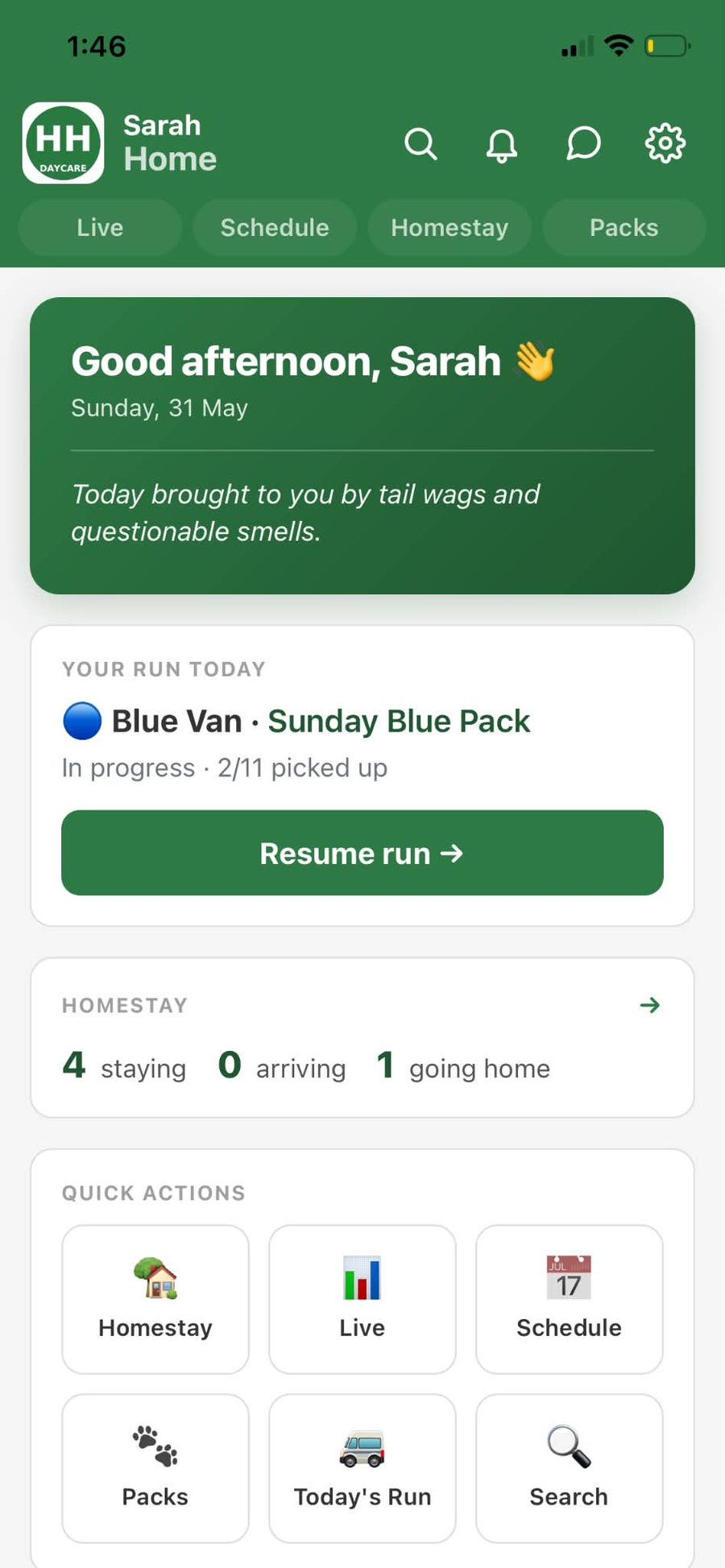
One screen tells the handler everything they need to start: which van they're on, which pack, how many dogs they've already picked up, who's staying tonight, and a Resume Run button if they're mid-shift.
-
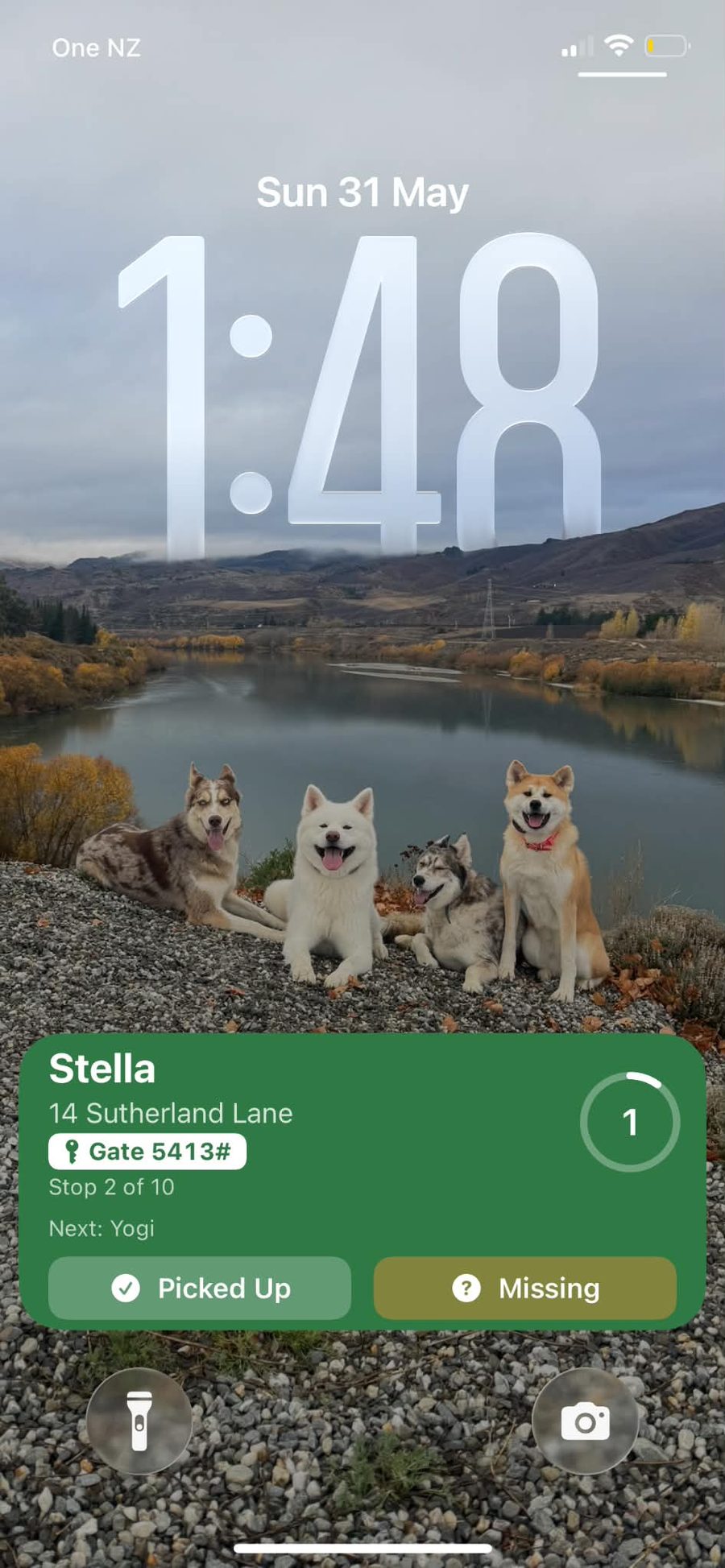
Tap right from the lock screen.
Drive to the address. Glance at the lock screen. Next dog, exact stop number, gate code, who's after this one. Tap Picked Up — done. Tap Missing — the office is notified and the run keeps moving.
-
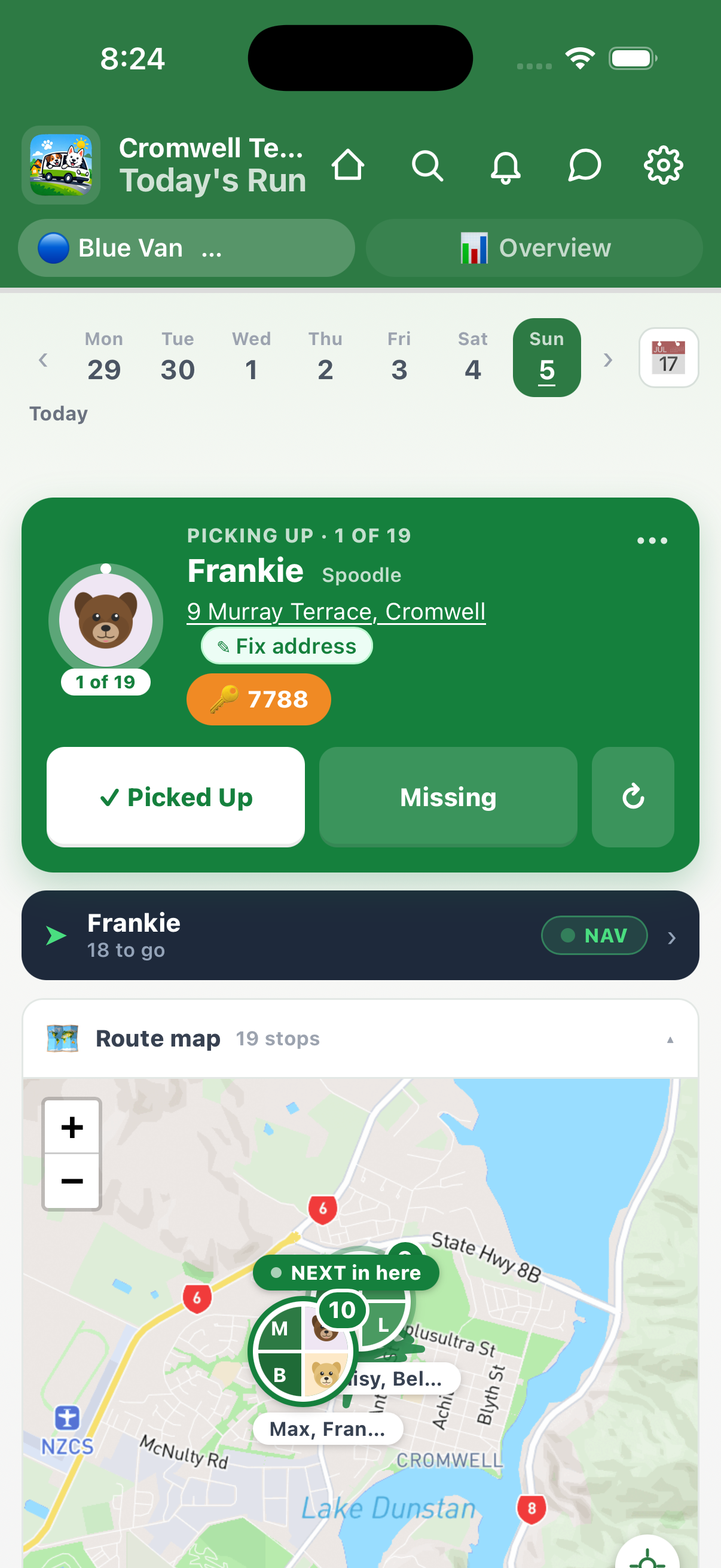
The driver's command centre.
Open the app for the full picture. The cockpit hero shows the current dog's photo inside a progress ring — name, breed, address, gate code, ETA. Override and new-address banners sit above. Completed pickups collapse into a "Done" drawer at the bottom.
-
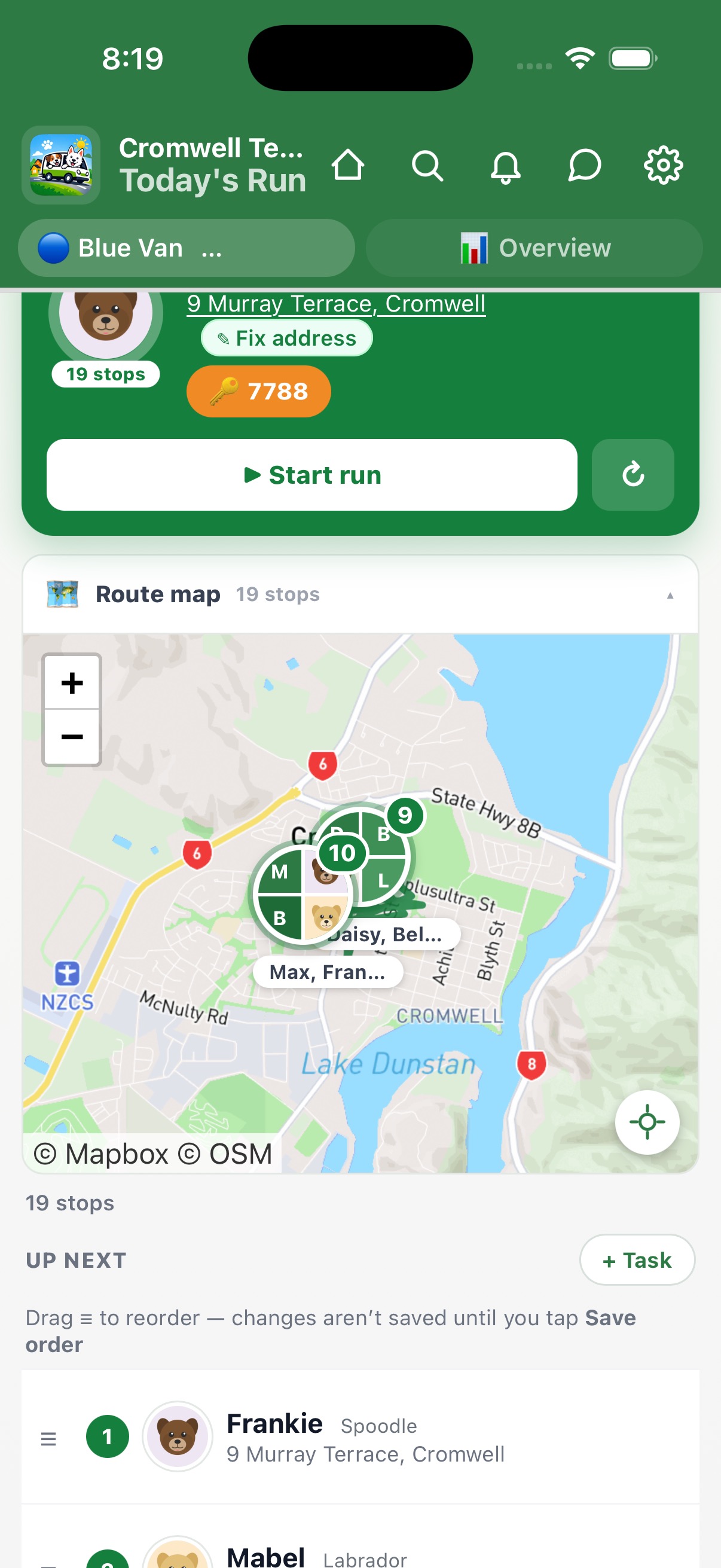
Every stop, pinned and routed.
Toggle to map view. Dog photo pins show exactly where each pickup is. The current stop is highlighted with a larger pin, and the route line threads between them. One tap to optimise the order.
-
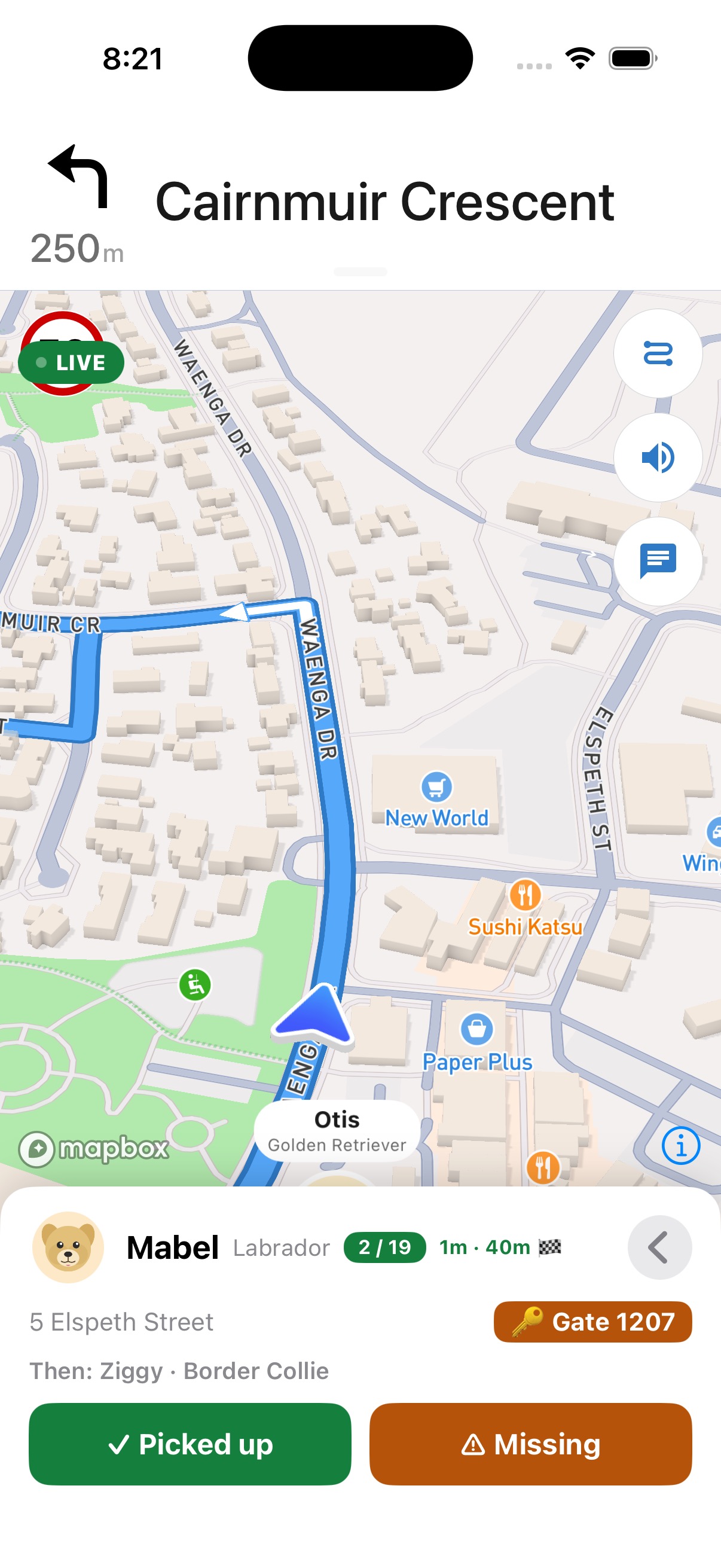
Turn-by-turn, without leaving the app.
Tap the map and full-screen navigation starts. The current dog's photo card rides on the bottom — name, breed, address, gate code, ETA. "Stop 3 of 12" keeps you oriented. When you arrive, tap Picked Up from the card and the route advances to the next stop.
-
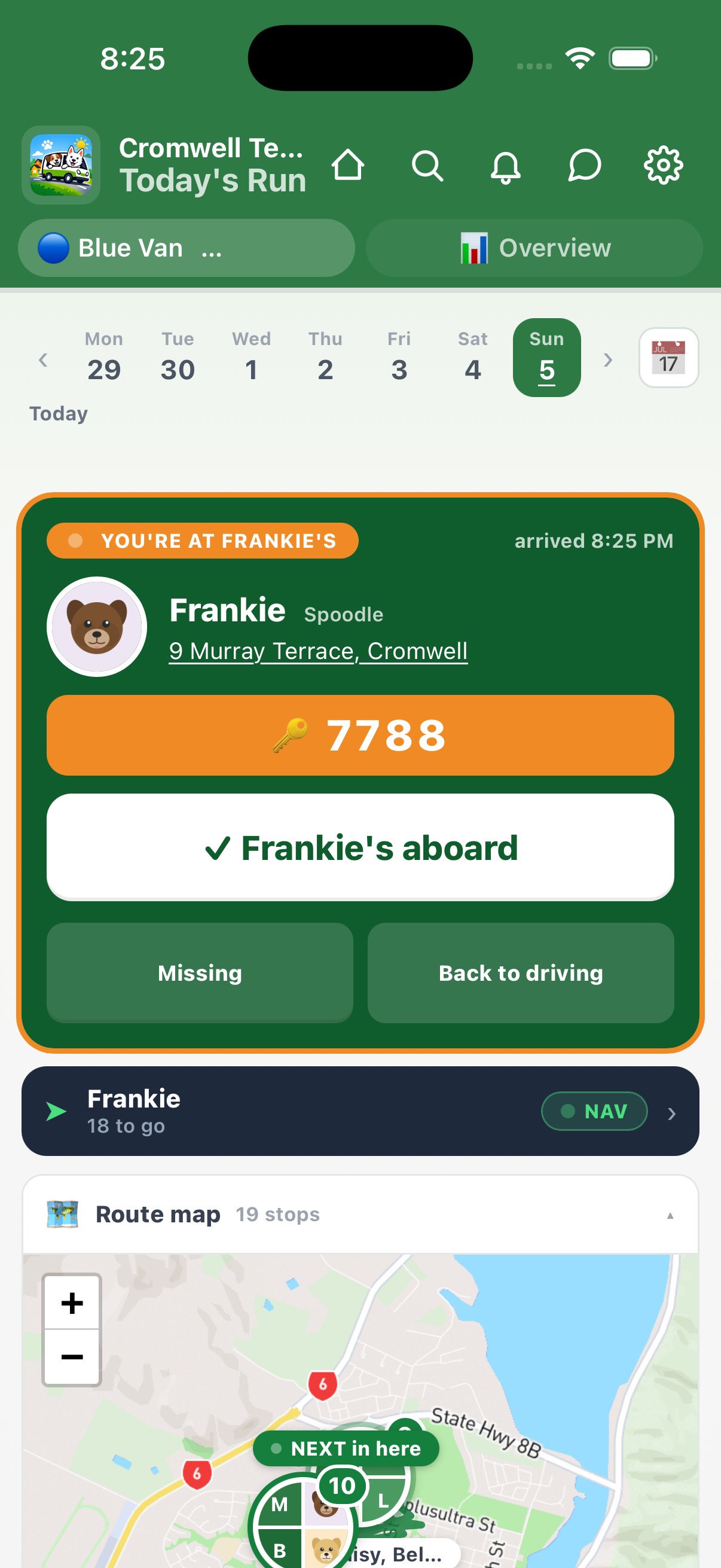
You're here. Gate code front and centre.
When the driver is within ~75 metres of the stop, arrival mode kicks in — amber pulse, large gate code, a giant Aboard button. Auto-dismisses when you drive off.
-
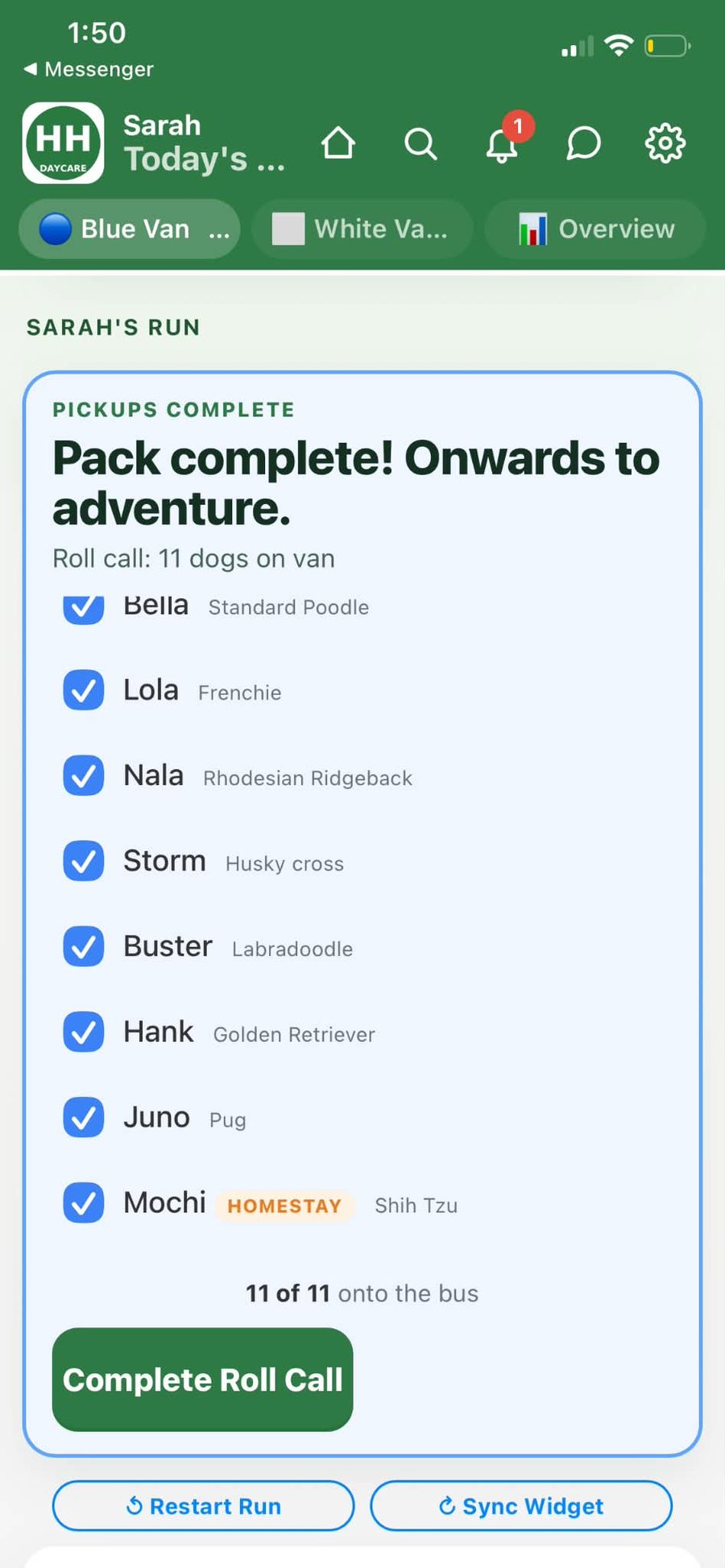
Every dog accounted for, before you drive.
When the last pickup is marked, roll call starts automatically. Tick each dog by name and breed. Homestay guests show up tagged so you don't second-guess who's meant to be on the van. Complete Roll Call and the app shifts into dropoff.
-
Afternoon: same widget, dropoff mode.
The widget flips colour — blue for dropoff. Same flow: address, stop number, next dog, two big buttons. Drive, tap, drive, tap. When the last dog's home, the van's day is done and the data's already in the books.
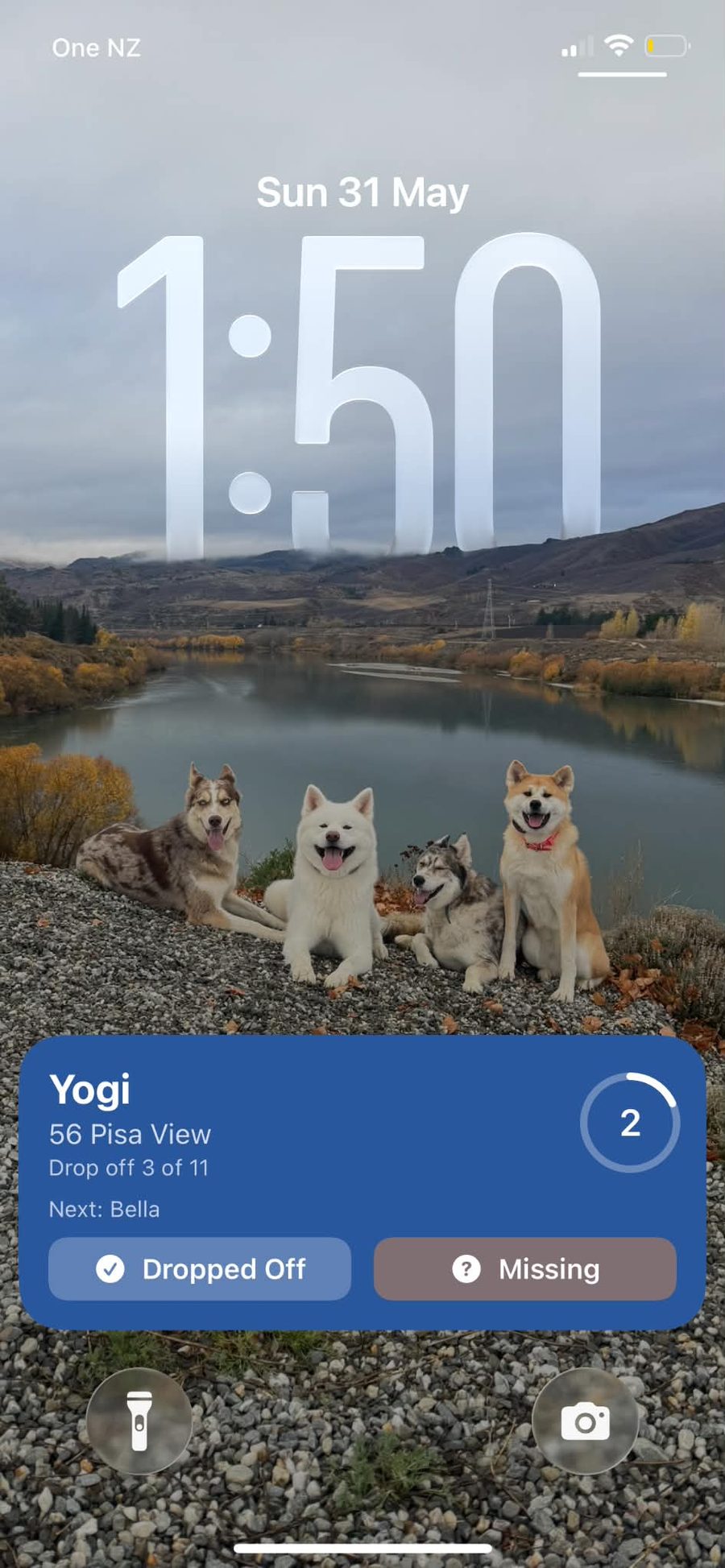
Widget, cockpit, maps, navigation, roll call — one flow from first pickup to last dropoff. The driver barely touches the phone. The data lands everywhere it needs to be.
The schedule, roster, and packs that power every run.
Import your dogs with a photo. Build packs. Assign vans and days. Drag to reorder the pickup route. The weekly schedule feeds everything — runs, billing, the owner portal, all of it.
-
Set up in under 10 minutes.
The onboarding wizard walks you through: add your vans, create your first pack, import your dogs. Screenshot your existing roster — the AI reads it and builds the schedule for you. Edit anything before confirming.
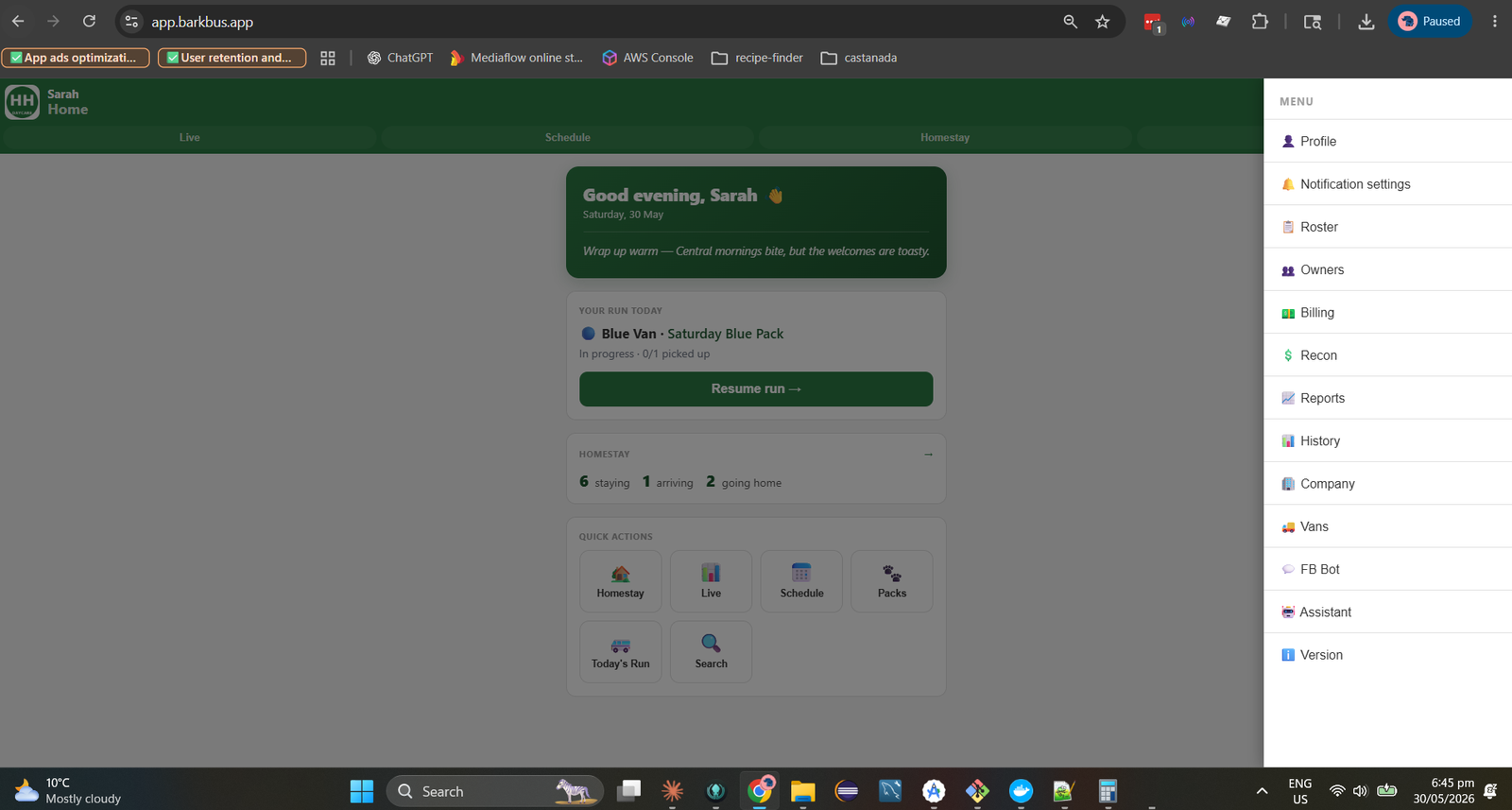
-
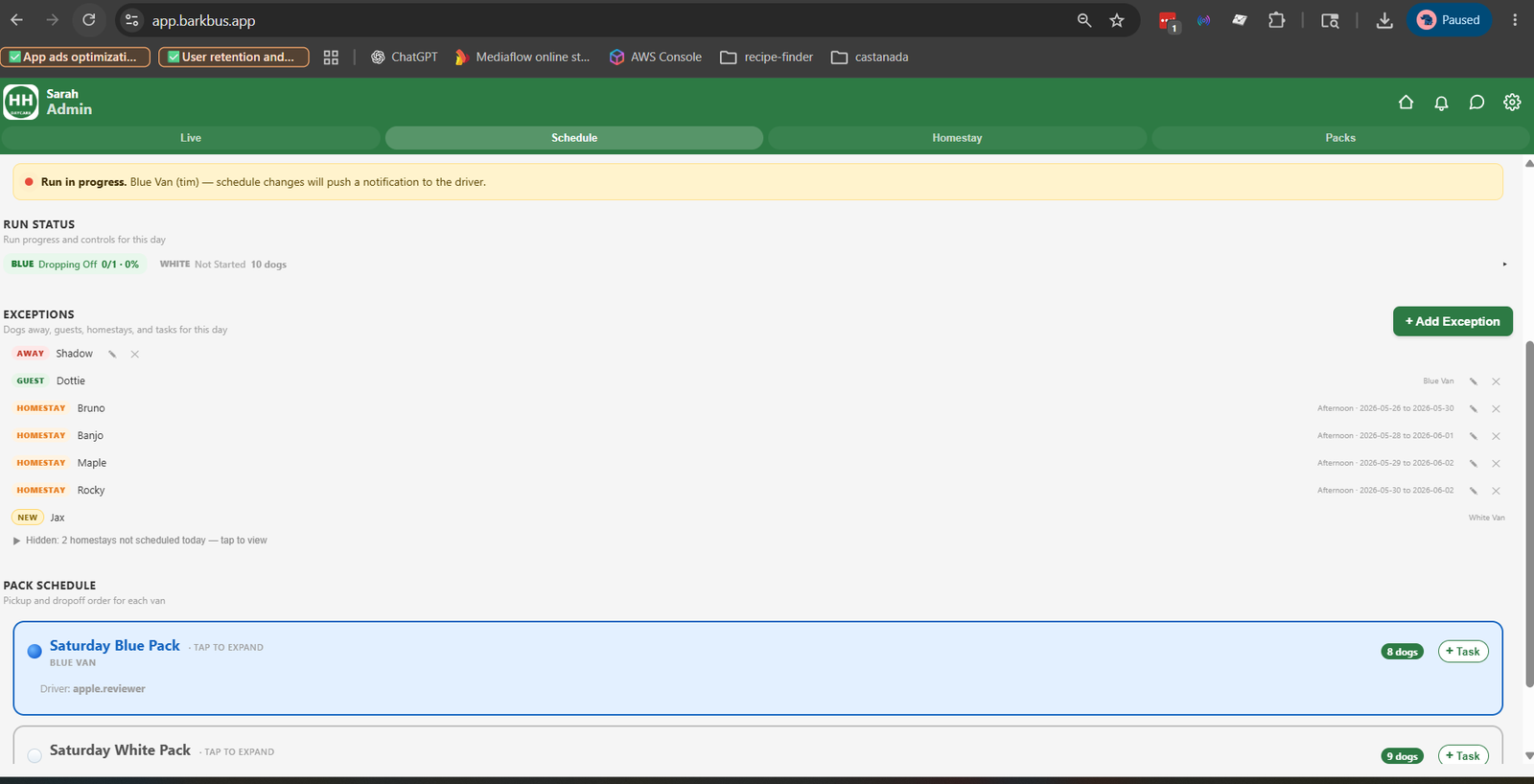
The weekly schedule is the source of truth.
One view shows every van, every day, every dog. Drag to reorder the pickup route. Add a guest for a one-off day. Mark a dog away. The schedule feeds today's runs, the billing charges, and the owner portal — edit once, updated everywhere.
-
Group dogs into packs. Assign to vans.
A pack is a group of dogs that ride together. One van can run multiple packs across different days. Add or remove dogs, reorder, assign a handler. The schedule and run sheet update to match.
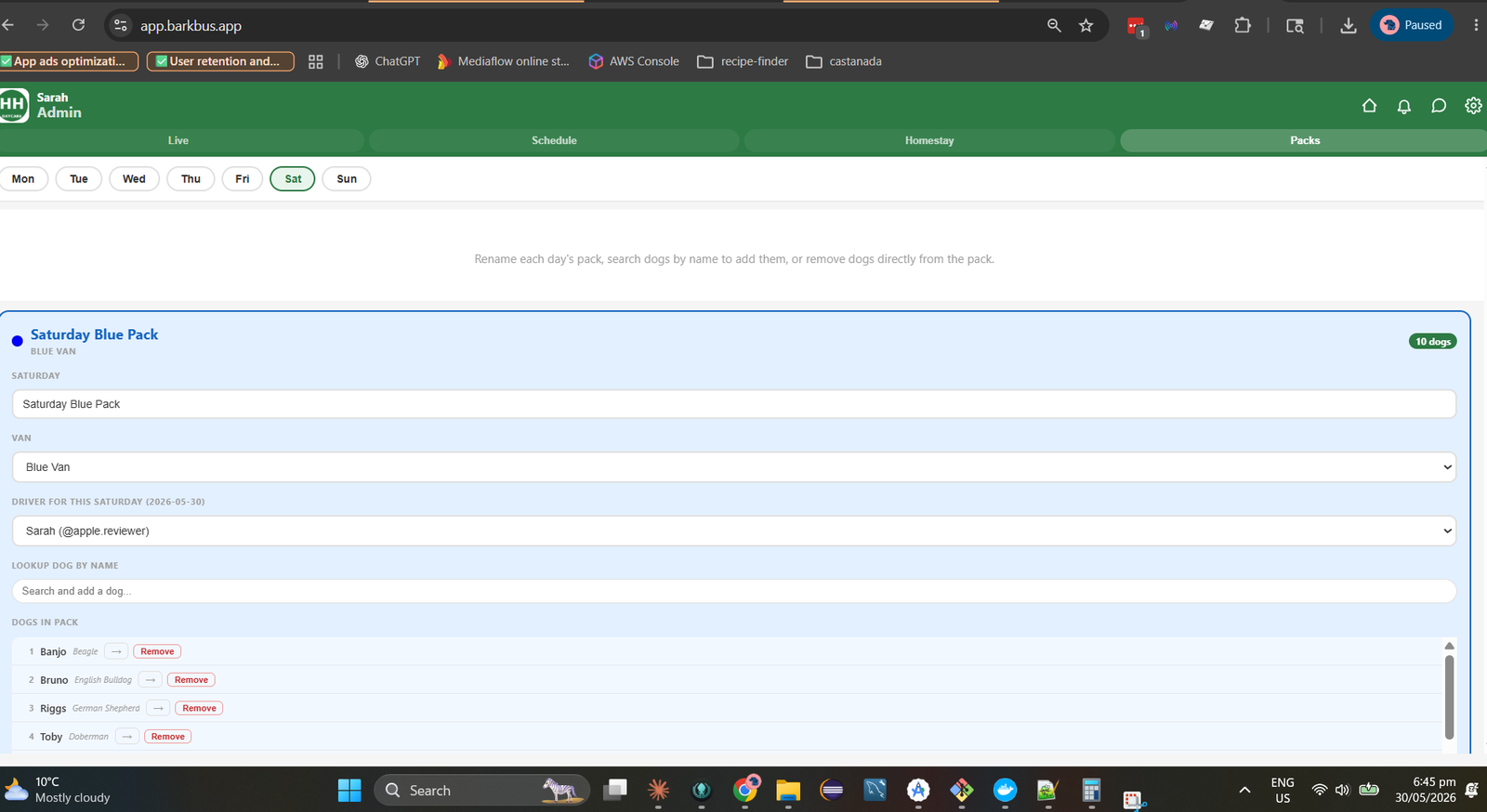
Import once. Schedule once. Every run, every bill, every owner notification flows from this single source of truth.
Owners get their own app.
No more "is Frankie on the bus yet?" texts.
Owners get a push notification the second their dog is picked up — and again at drop-off. They can mark absences, request homestays, and book future days, all from their phone.
-
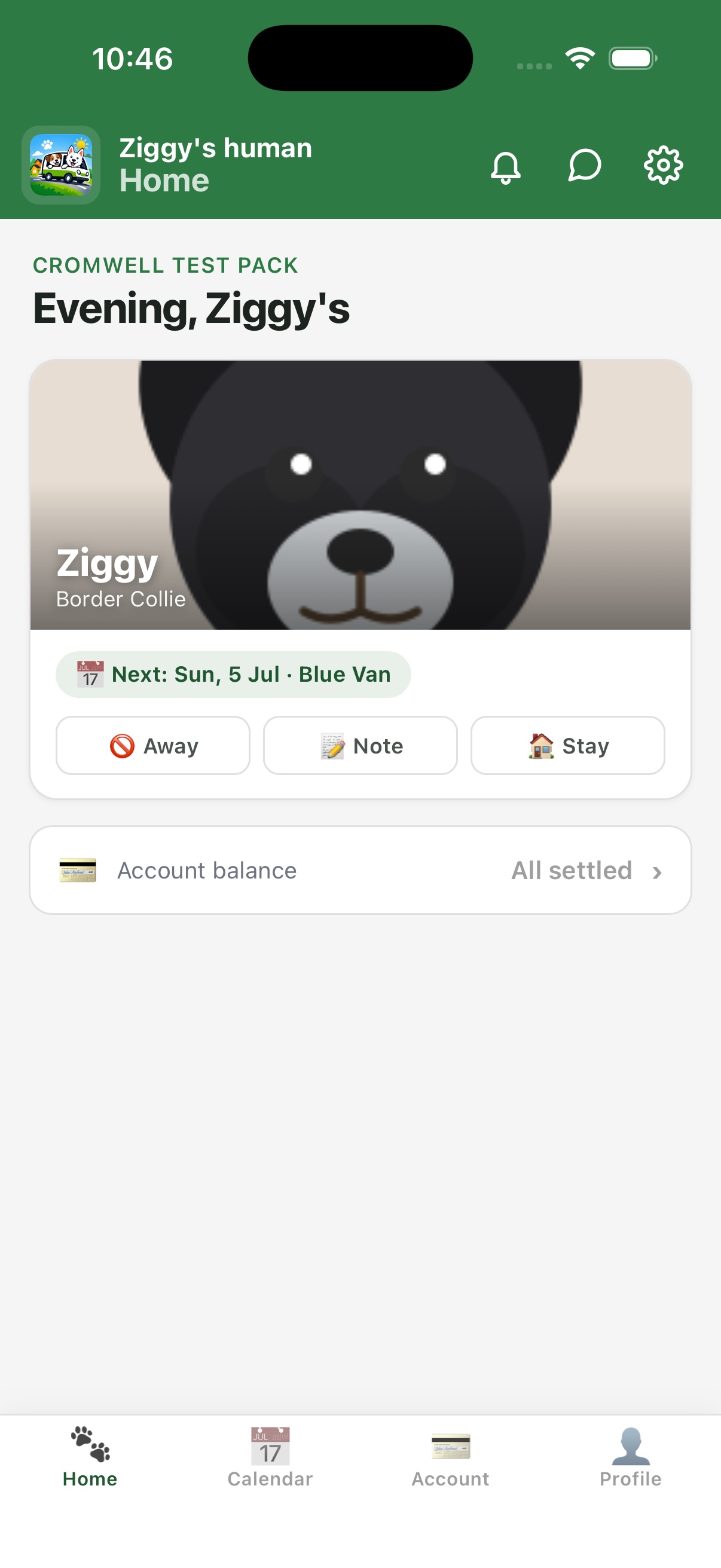
Frankie's on board. The owner knows instantly.
The handler taps Picked Up — a push notification hits the owner's phone within seconds. "Frankie picked up · Blue Van · 9:14 AM." Same for drop-off. No texts, no calls, no "is my dog on the bus?"
-
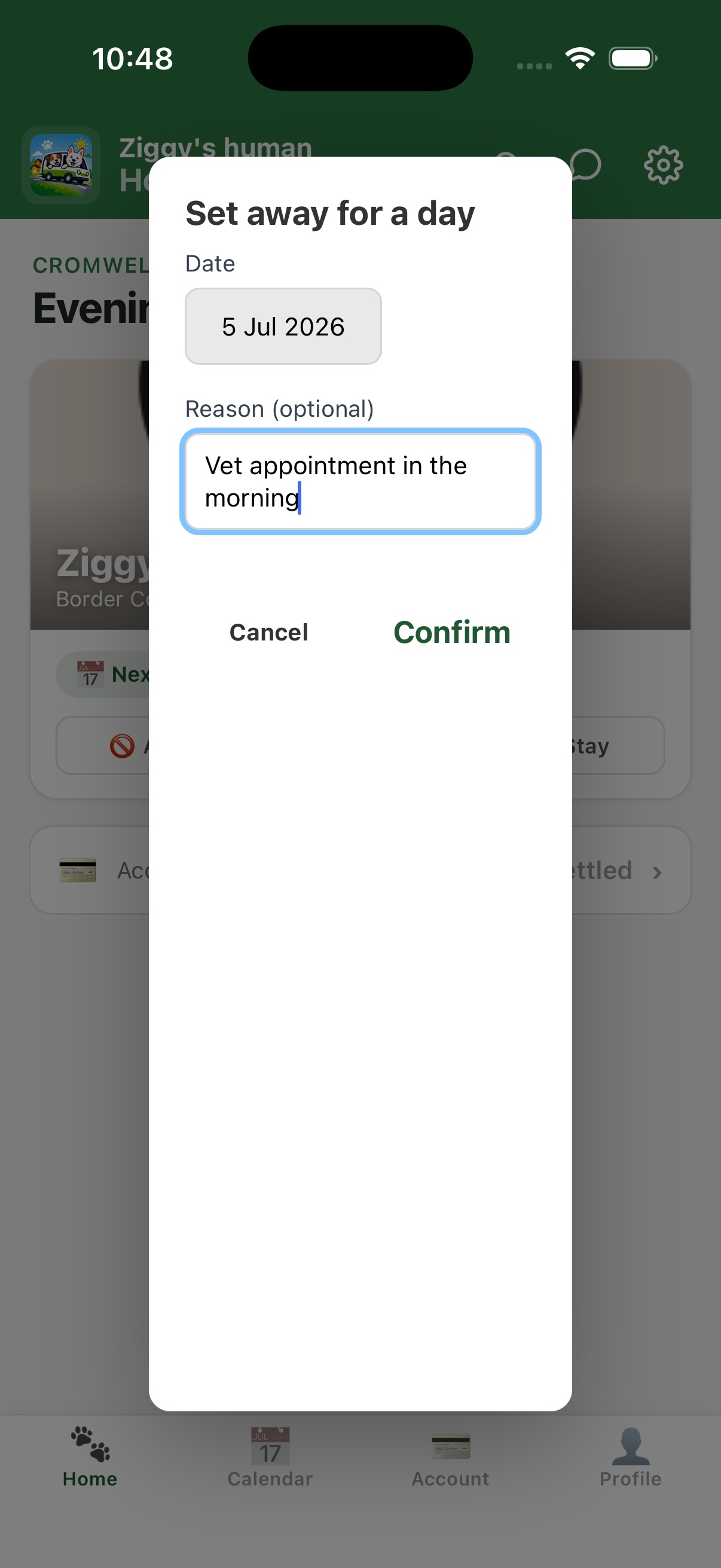
"Frankie's not coming tomorrow." One tap.
Owners mark their dog away with an optional reason. You get a notification — the schedule updates automatically. No back-and-forth texts.
-
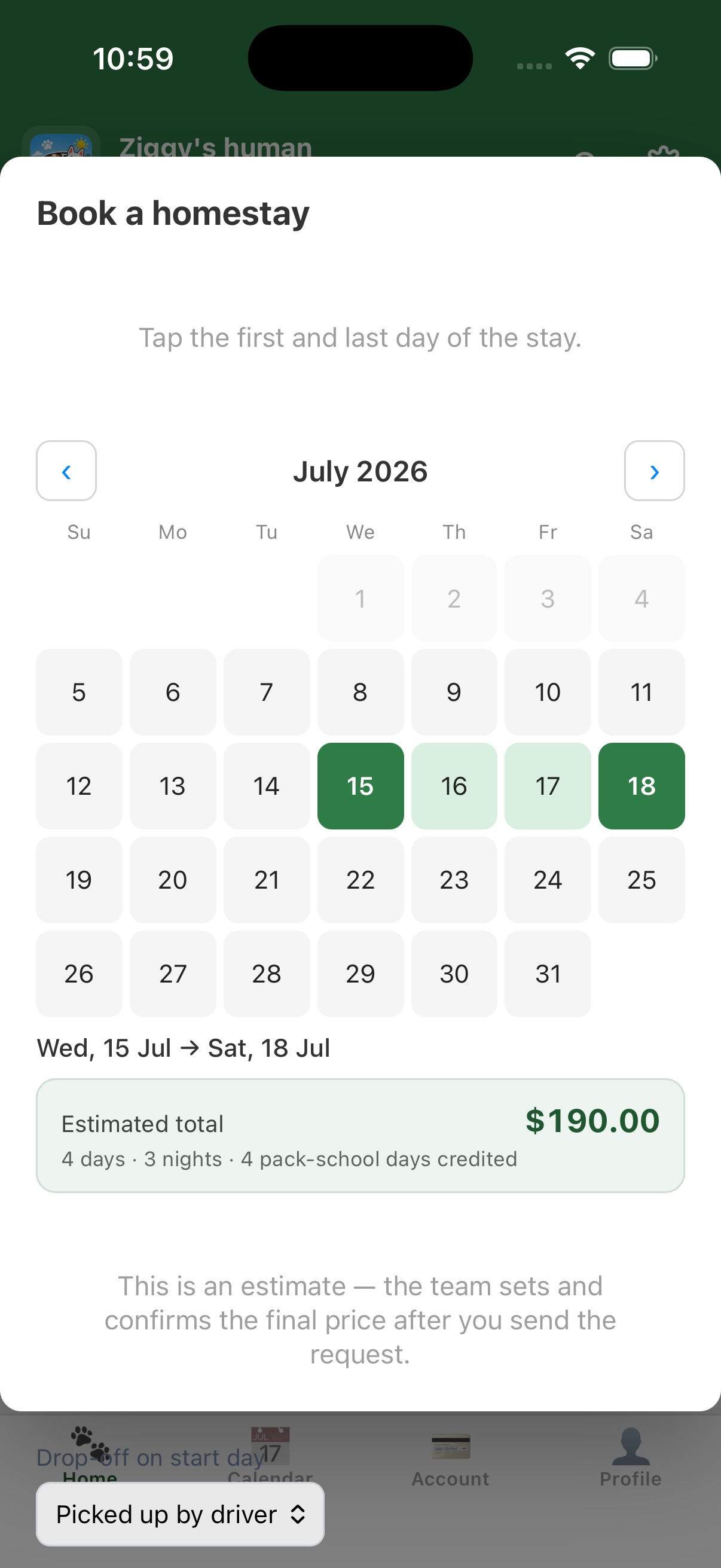
Request a homestay. You price it. They confirm.
The owner requests a stay — you get a notification, set the price, and they confirm on their phone. No email back-and-forth, no pricing confusion.
-
Full notification history.
Every pickup, drop-off, and status change in one scrollable list. Owners choose which notification types they receive — per-type toggles, not all-or-nothing.
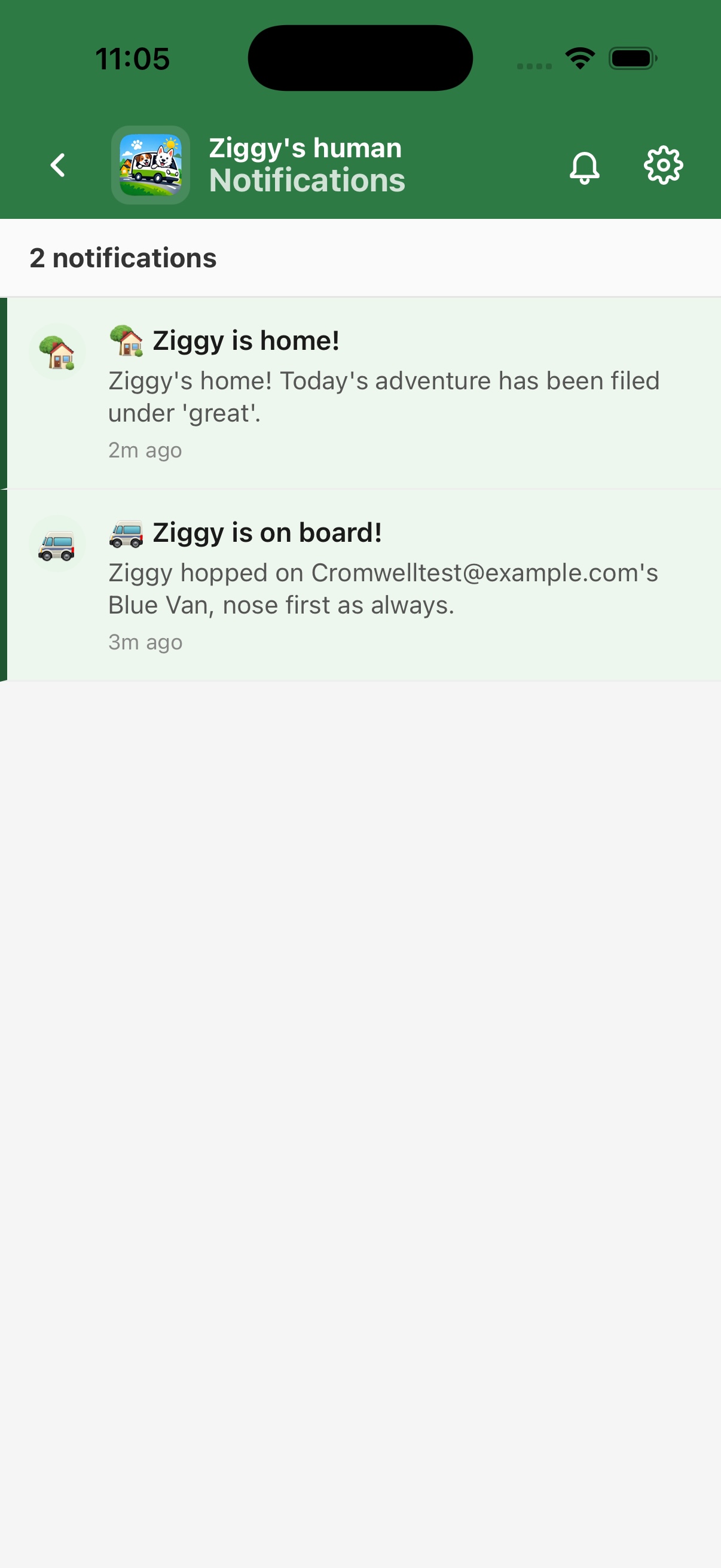
Owners see what's happening with their dog in real time. They handle absences and bookings on their own phone — your inbox stays clear.
Paste the message. The AI reads, looks up, proposes.
You tap Confirm.
Real client messages don't arrive in shapes a rules engine can parse. The assistant reads the screenshot, looks things up, and drafts the change as a confirm card. Read-only by default — nothing moves until you say yes.
-
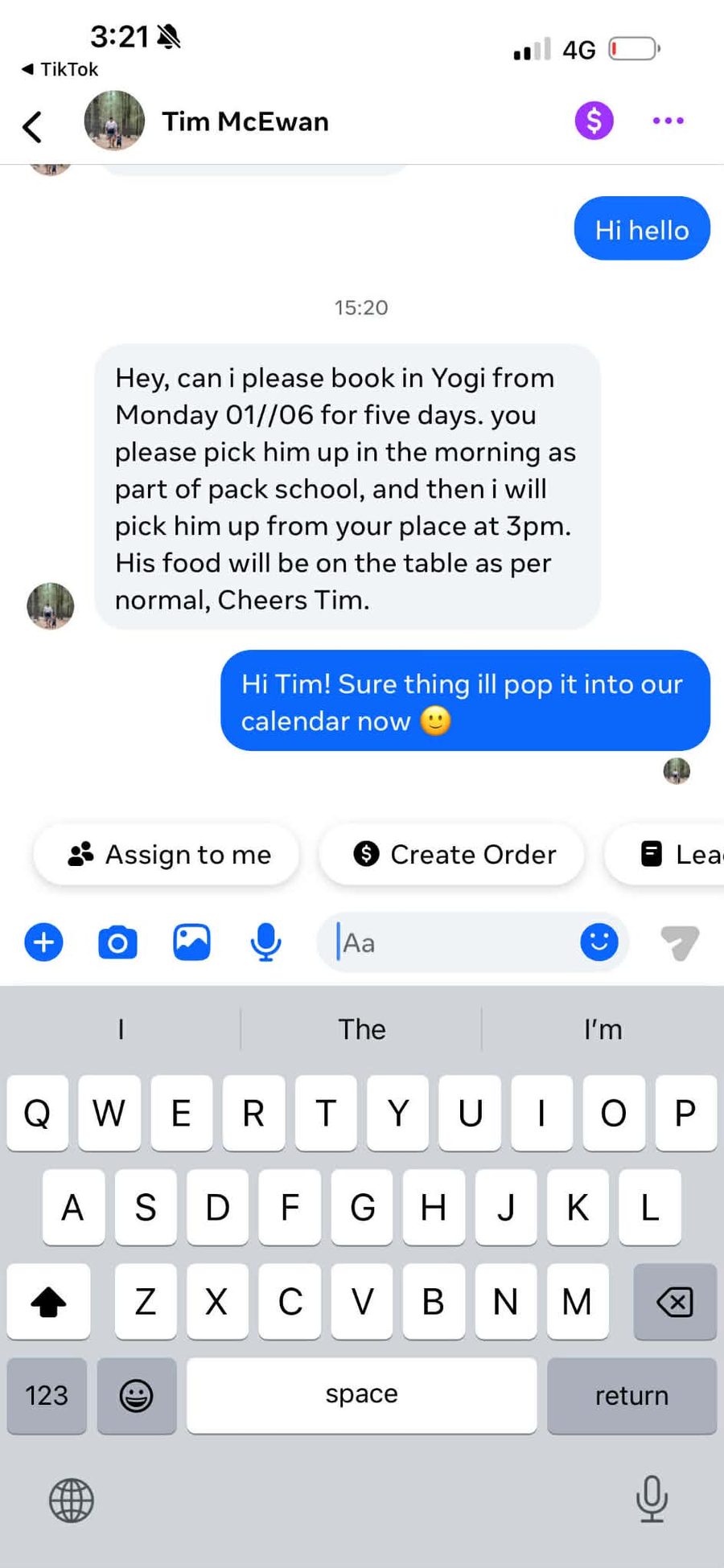
A real client message lands on Messenger.
"Hey, can i please book in Yogi from Monday 01//06 for five days, pickup in the morning as part of pack school, i will pick him up from your place at 3pm, food on the table as per normal, Cheers Tim."
Mixed date format. Two different pickup methods. A food note. The kind of message that takes five minutes to parse and could go wrong in three places.
-
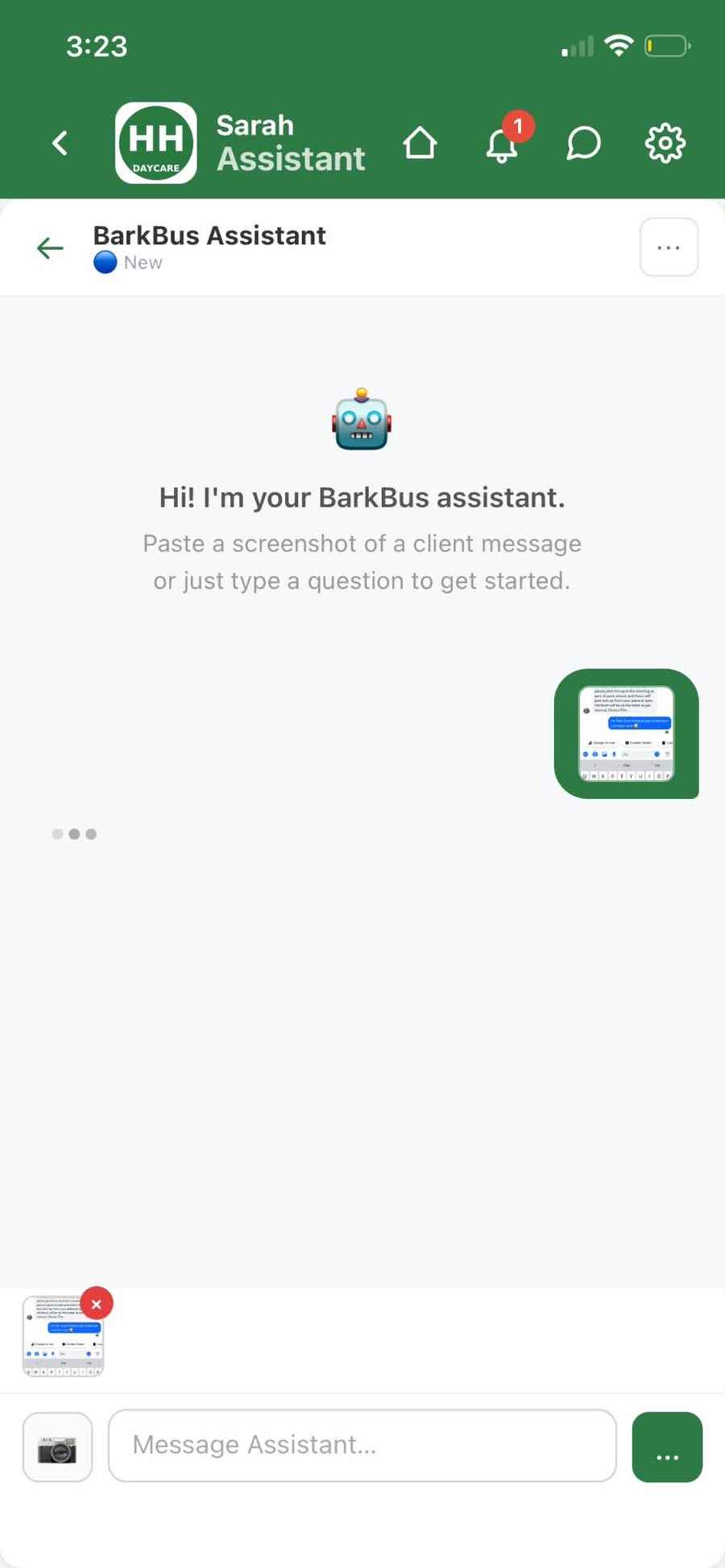
Screenshot it. Send.
Open the BarkBus assistant, attach the screenshot, hit send. The AI reads the image directly — no transcribing, no re-typing, no "hold on, what were those dates again".
-
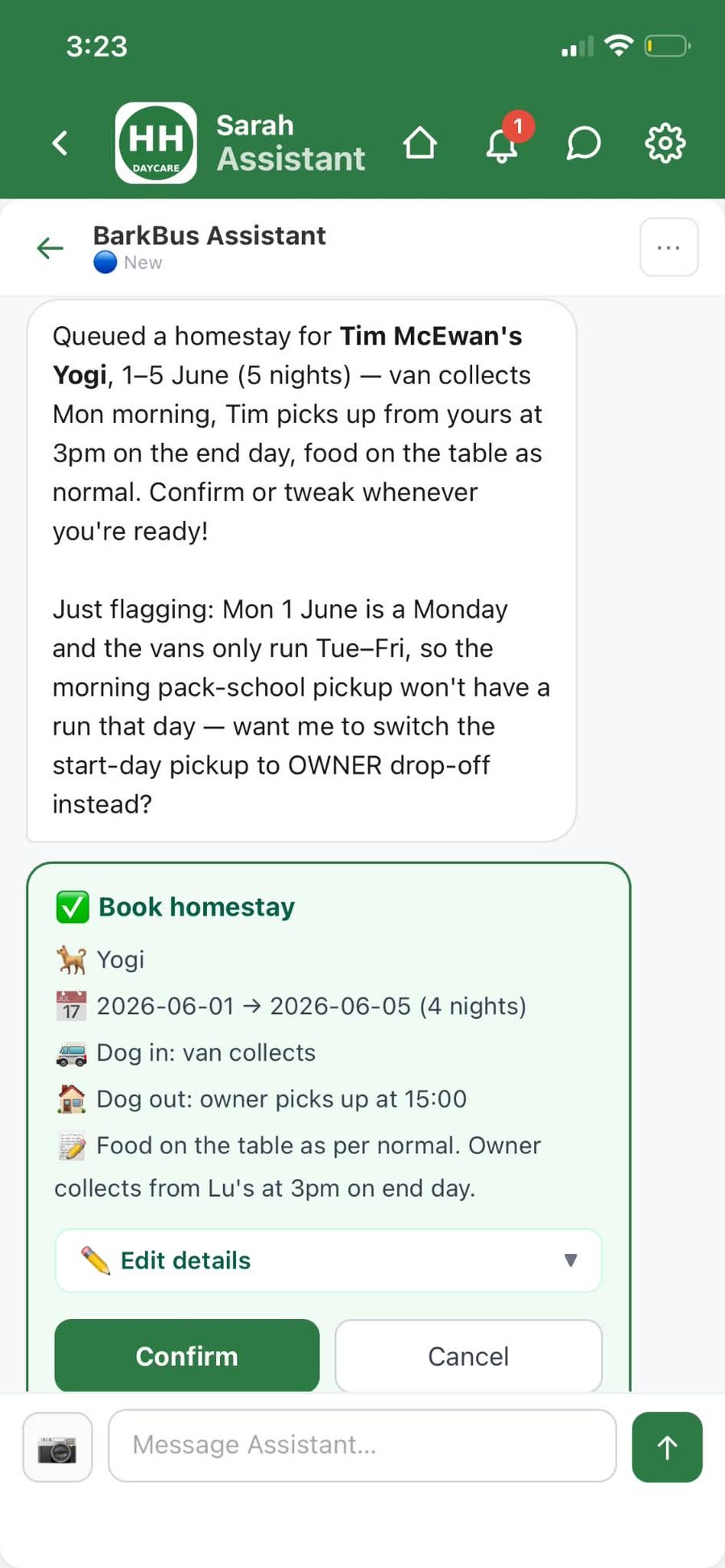
It already knows your dogs.
Behind the scenes the assistant runs read-only tools against your data: finds the owner, finds the dog on the roster, checks existing homestays for clashes. All silent. All free of human time.
-
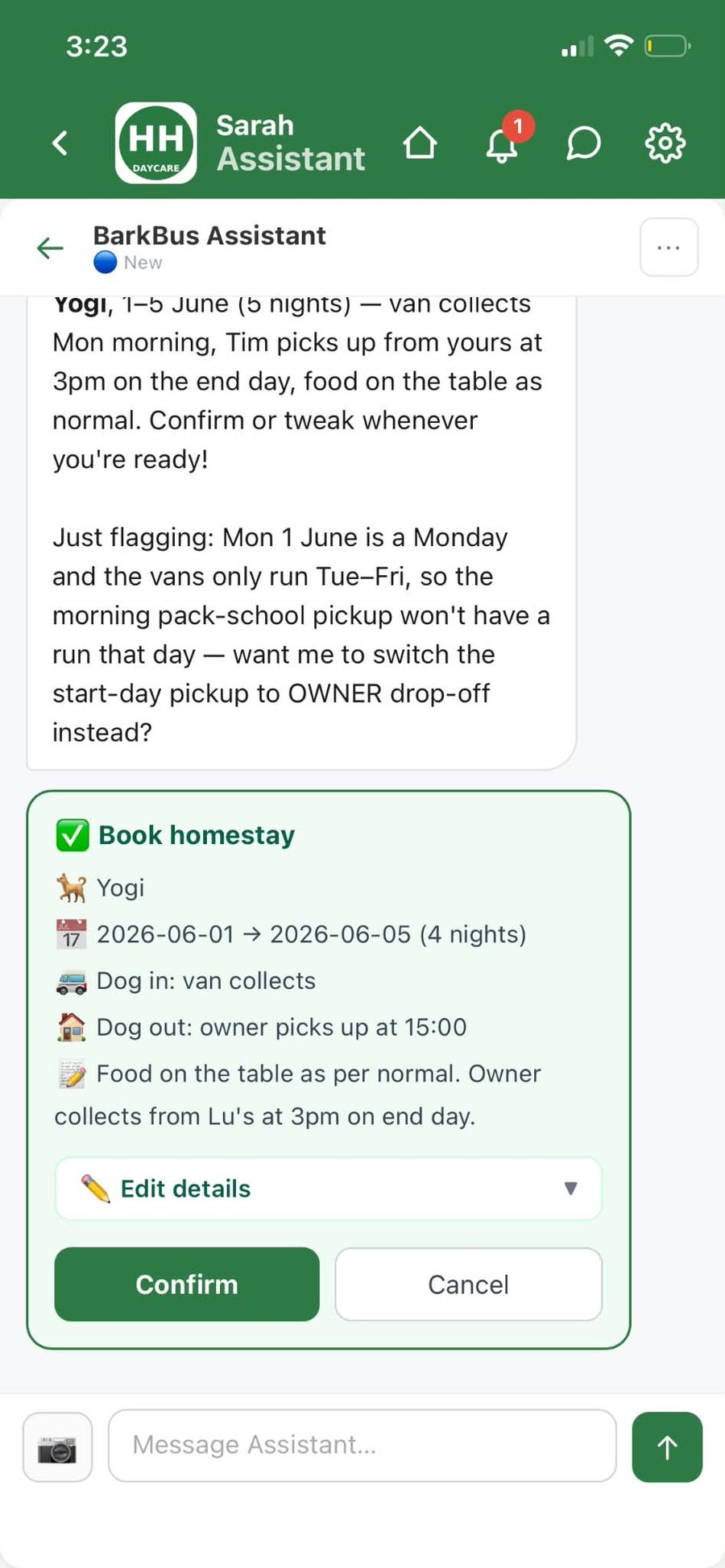
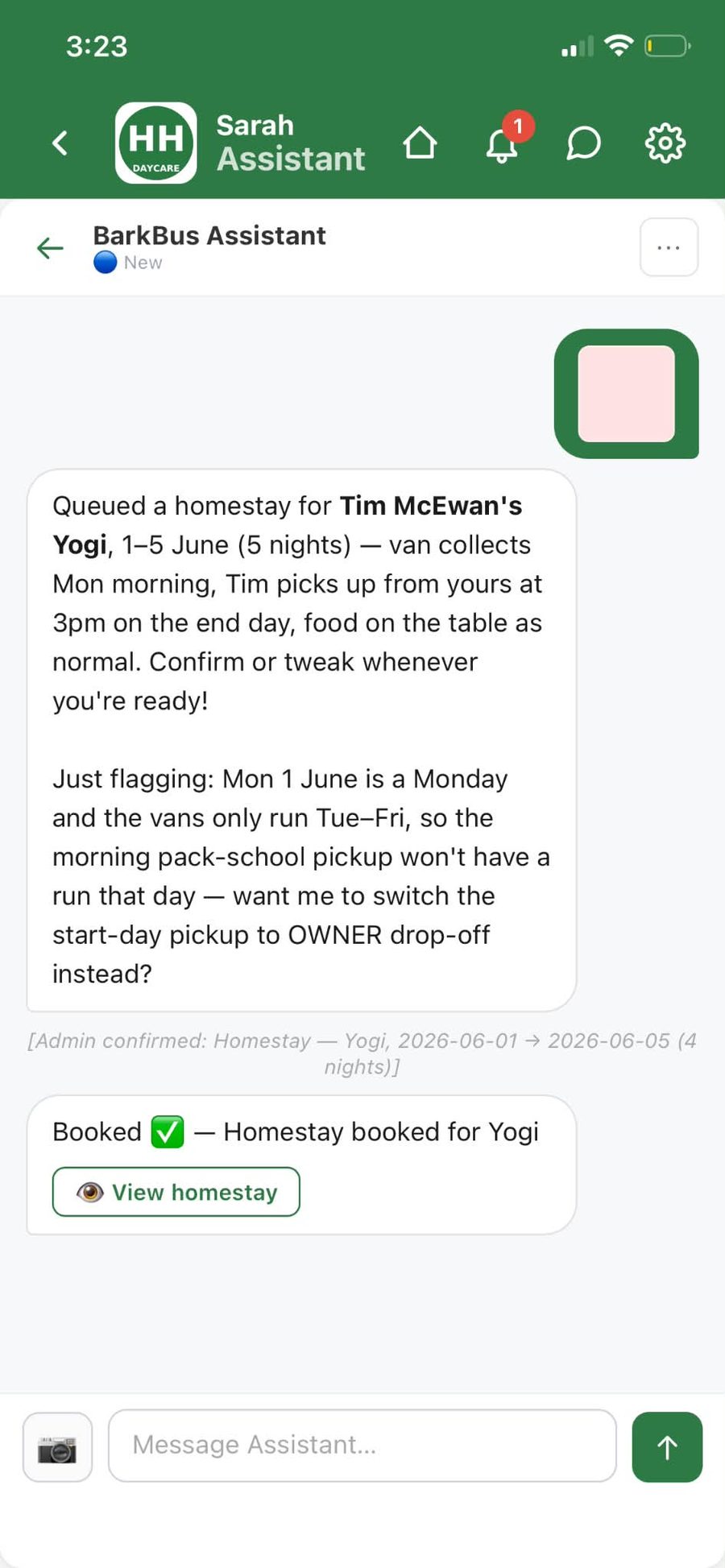
"Just flagging — Monday isn't a van day."
The AI spots conflicts and proposes a fix — switch the start-day pickup to an owner drop-off — before the card even goes in front of you.
-
One card. One tap. Done.
Every detail on one screen. Tweak the price, fix a typo, or just tap Confirm. Write tools only fire after this tap. Until then, your data is untouched.
-
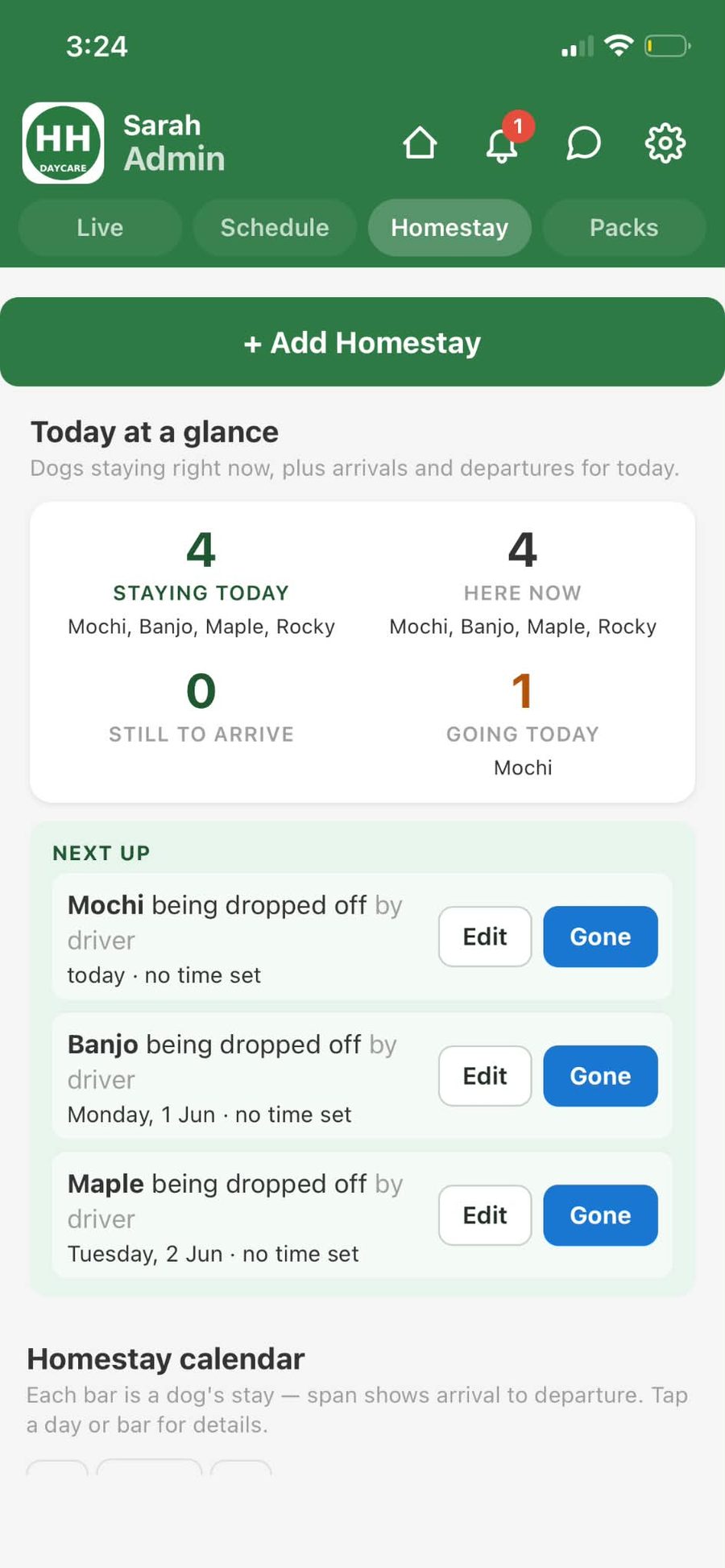
And it's already in the schedule.
Homestay tab. Month calendar. Driver's run sheet. Next week's bill. One booking, one source of truth, zero double-entry.
Powered by Claude. Reads silently, writes with permission. Same pattern works for booking homestays, marking dogs away, setting temp pickup addresses, moving a dog between vans, managing run tasks, or adding a note to the schedule.
Every dog you pick up is billed.
Upload your bank statement to close the month.
No Sunday-night tally. Each run a dog comes on becomes a charge on that customer's account, on its own. Upload your bank CSV and the AI matches payments to owners — one-click close each month.
-
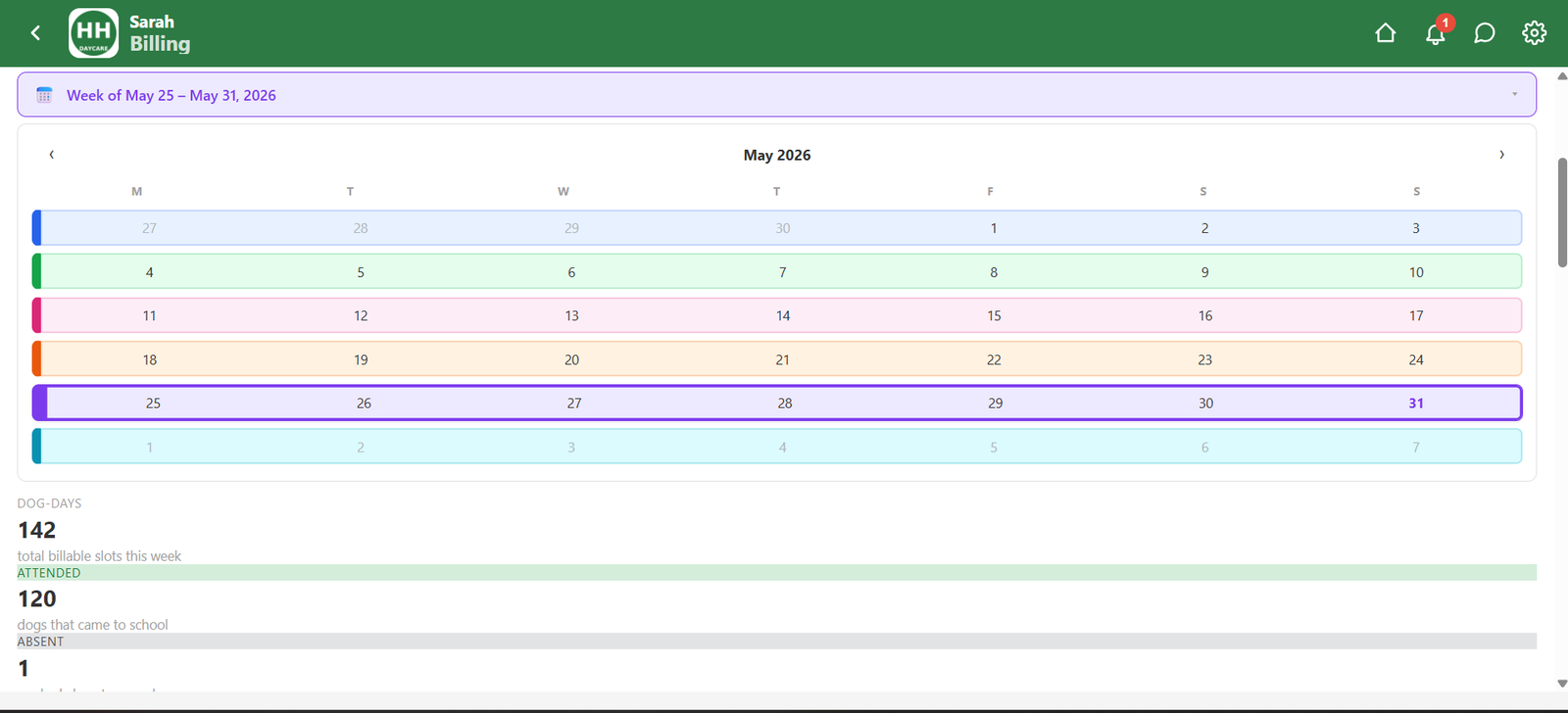
The week bills itself from the runs.
Every pickup a handler taps becomes a charge on the right customer — no re-keying, no spreadsheet. The week-attendance view rolls every run up into the numbers the bills come from.
-
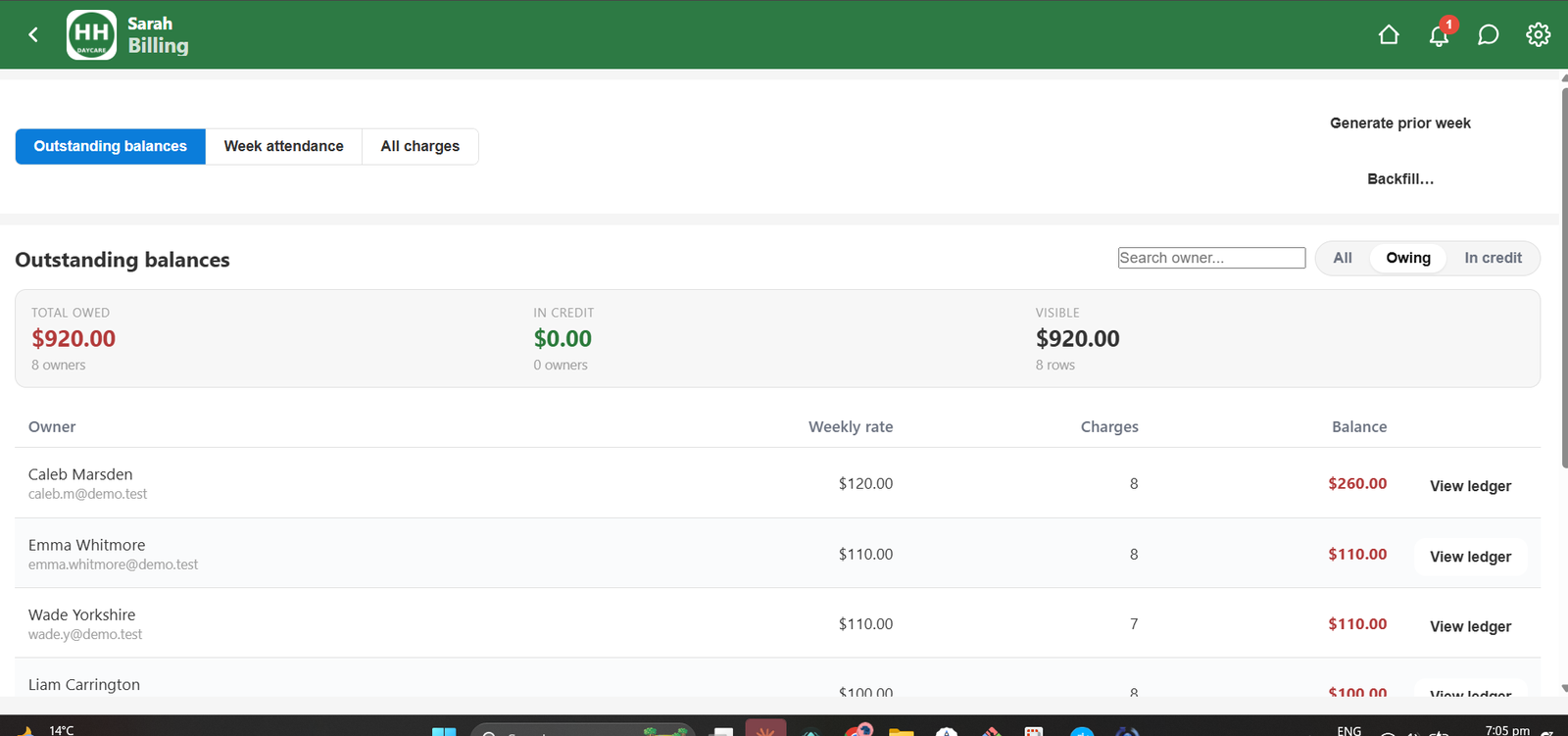
See exactly who still owes you.
The Outstanding Balances list shows every customer you've billed who hasn't paid yet. Weekly rate, how many charges, balance, and a View ledger button. That's it.
-
Upload your statement. Reconciliation runs itself.
Drop your bank statement and the autopilot matches most payments to owners on its own — only the handful it's unsure about wait for you. Claude reads each one, suggests the owner with a confidence score, and you one-tap Accept, Ignore, or reassign. It learns your regulars, so every month closes faster.
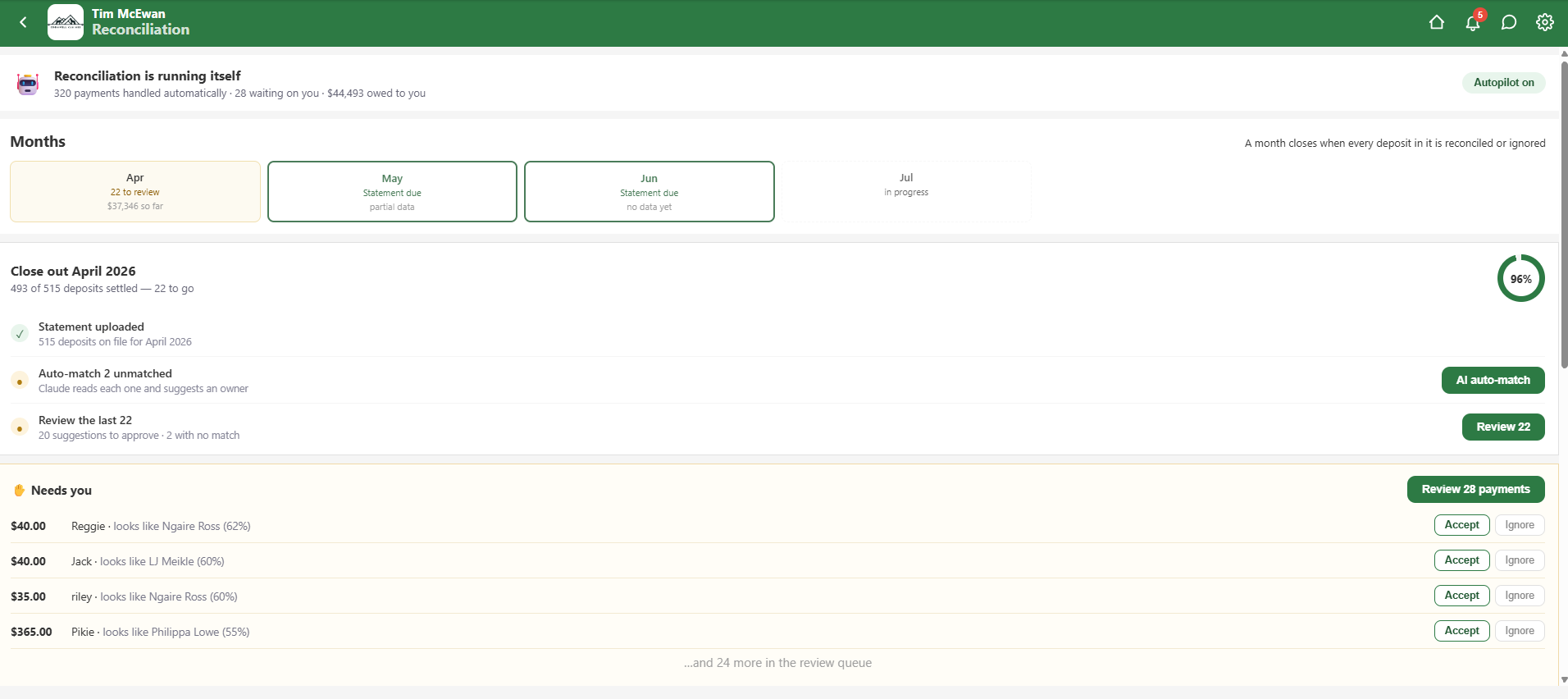
Every pickup bills the customer, and every bank payment matches itself to an owner. No spreadsheet, no Sunday-night tally — just a clear list of who still owes you.
A homestay is one record.
Every screen that needs to know about it, knows.
Multi-night stays sit alongside the regular day. Book one record and the schedule, dashboard, run sheet, widget and billing line all pick it up. Set your own rates — full day, semi, half day — and owners see the price before confirming.
-
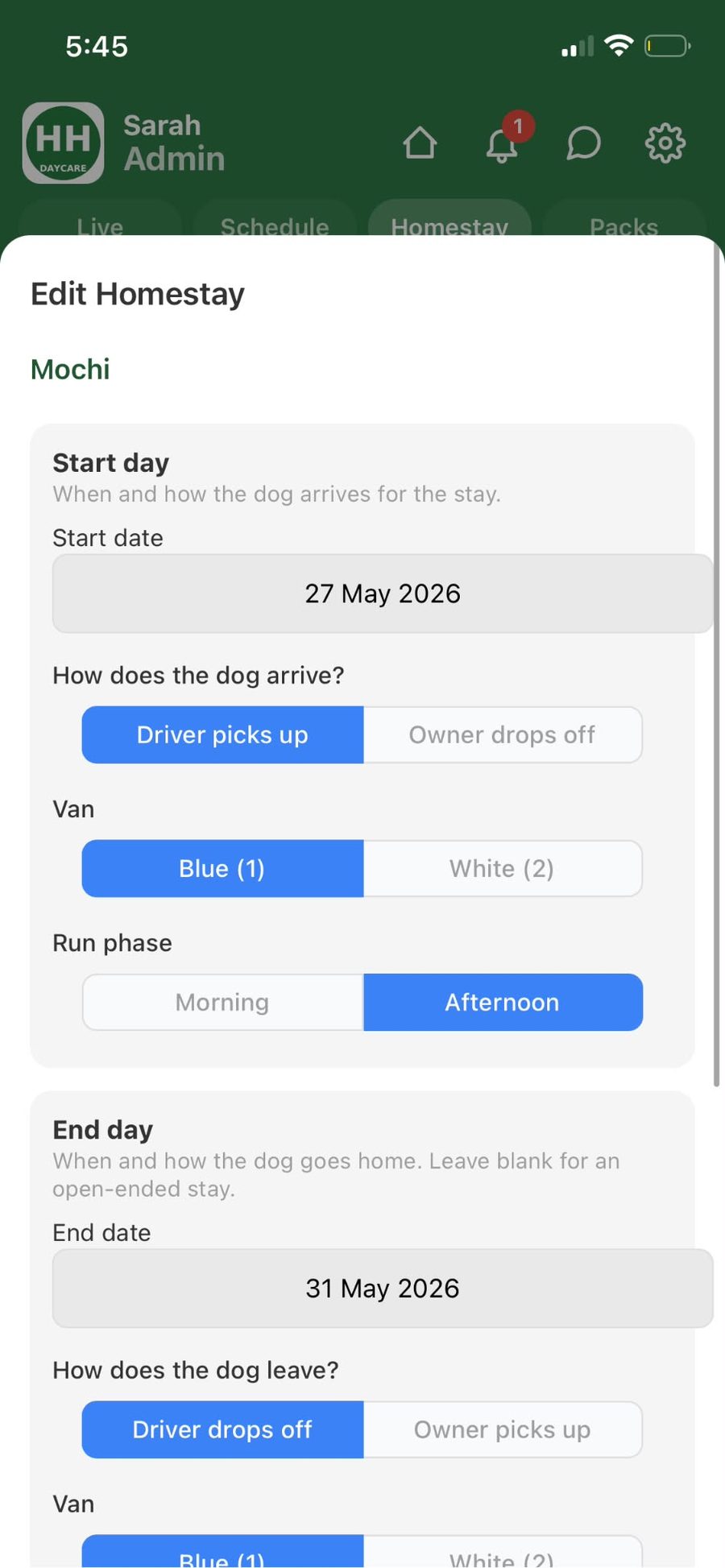
One form, both ends of the stay.
Pick the dog. Pick the start day, who's bringing them in, which van, which run phase. Same for the end day. The live price estimate updates as you go — full/semi/half day rates, pack-school credits.
-
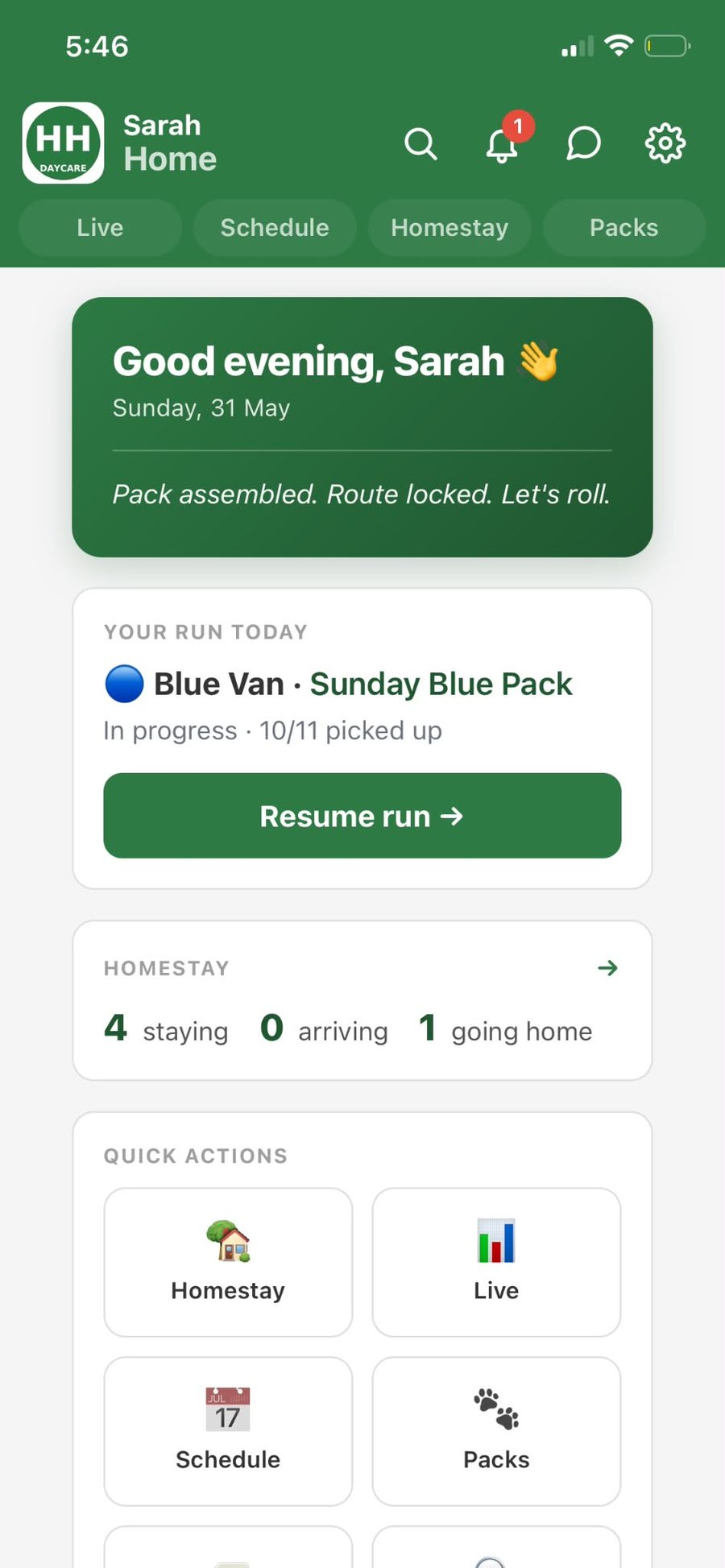
"4 staying, 0 arriving, 1 going home."
The Home screen has a Homestay tile — current headcount, arrivals and departures at a glance. One tap to drill in.
-
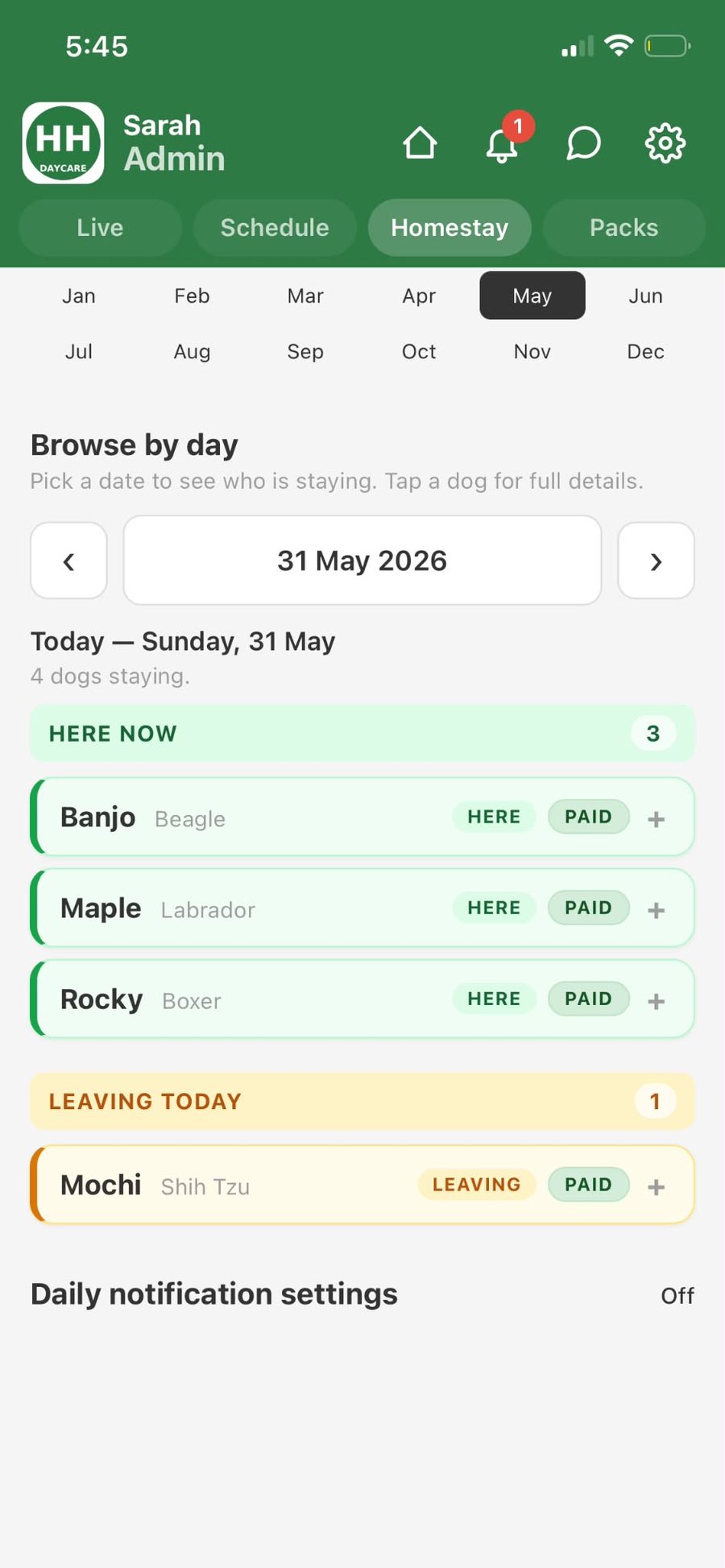
Pick any day. See the whole house.
Browse-by-day groups every dog into HERE NOW and LEAVING TODAY. Every tag also says PAID, so you know the money lines up with the bodies on site.
-
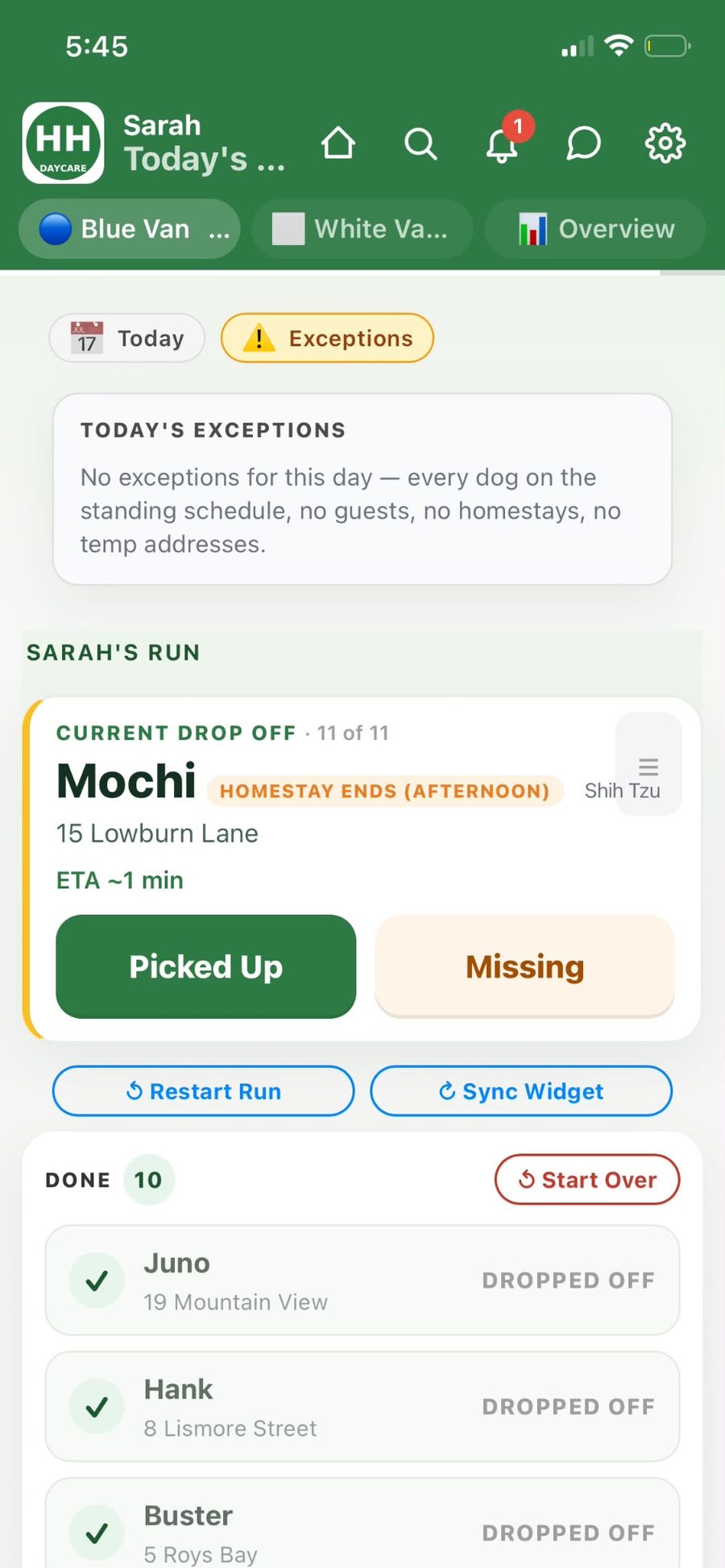
The run sheet flags it without being asked.
The driver's card carries a HOMESTAY ENDS tag so the driver doesn't accidentally drop the dog at their own house.
-
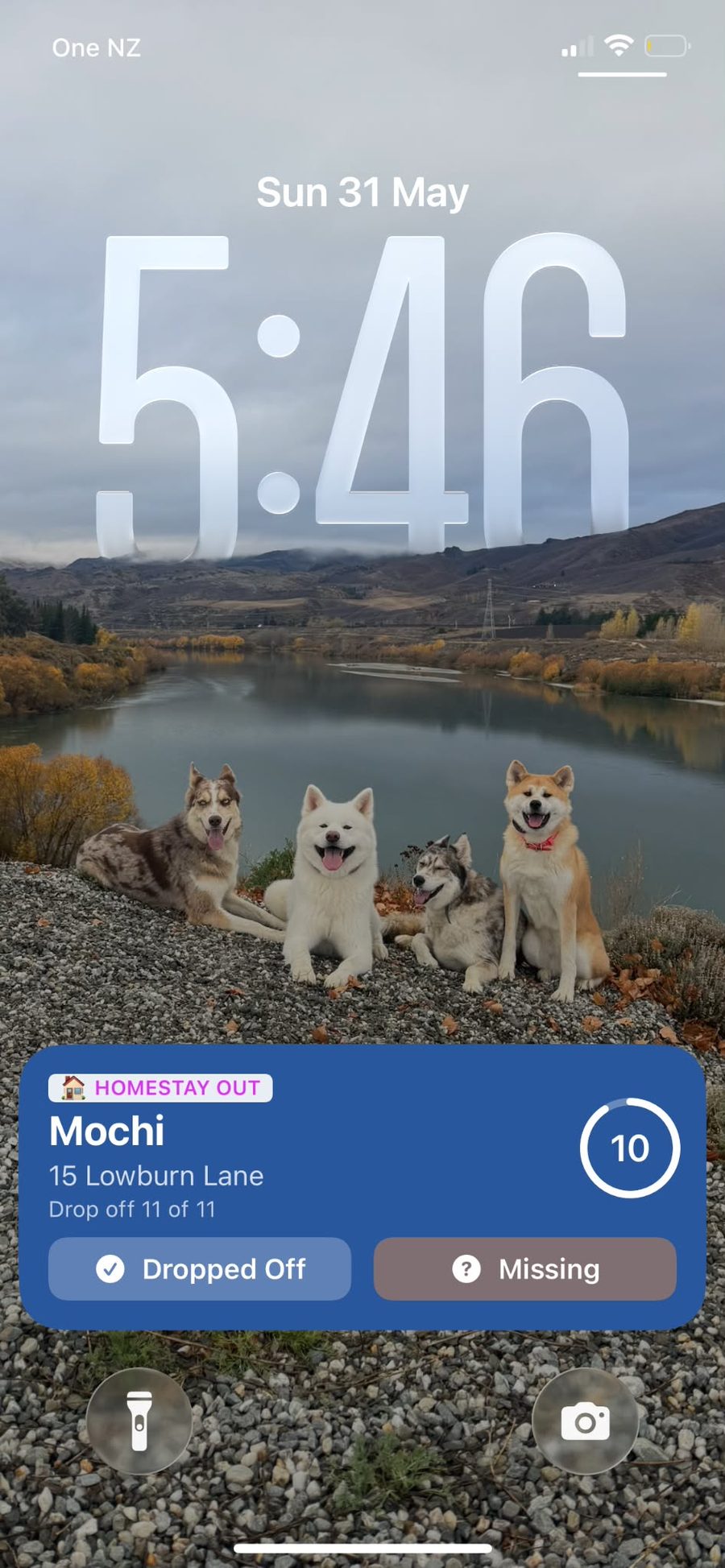
The widget swaps to HOMESTAY OUT.
Same lock-screen widget — for homestay-ending stops it shows a HOMESTAY OUT tag. Two buttons, drive, tap, done.
-
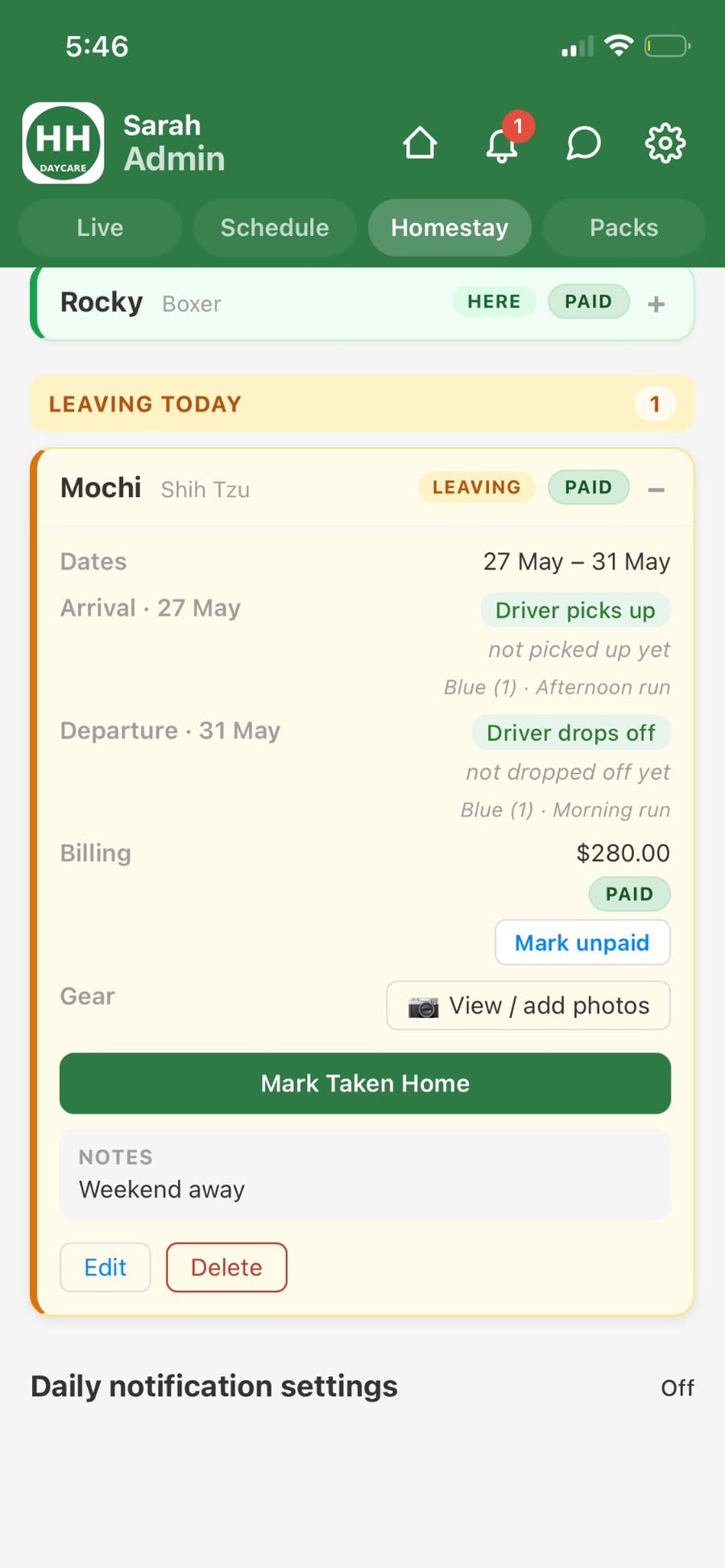
The booking is the source of truth.
Dates, logistics, billing, gear photos, notes — one card, one scroll. No spreadsheet cross-reference.
Book it once. The schedule absorbs it, the dashboard counts it, the driver sees it, the widget tracks it, the bill takes care of itself. One record. Six surfaces. Zero double-entry.
Try BarkBus.
iOS, Android, or right in your browser. First month free.
Setup takes under 10 minutes — AI imports your dogs. Questions? Get in touch with Tim →